November 19, 2026
What Are AI Agent Skills? How Marketing Teams Turn Expertise into Reusable Work

Akshita Sharma
Senior Content Marketing Associate

AI summary
AI agent skills offer marketing teams a way to turn individual expertise into shared organizational knowledge. This guide explores what makes a skill valuable and how to build one around the way your team works. It also examines why skills built on your own processes and business context can create lasting value as your team scales its AI use.
AI agent skills are reusable packages of task-specific knowledge that teach AI how to do a task the way your team does it. They capture your team's marketing expertise and steps behind repeatable work, so they don't have to rewrite instructions or start from scratch every time. The AI agent carries out tasks, while a skill gives it the know-how to handle a particular job.
So, how do skills work and how can your team put them to use? Let's break it down.
TL;DR
A skill packages your team’s marketing expertise into reusable work.
Open-source skills are easy to copy, but lasting advantage comes from enterprise skills built on your own workflows, brand context, approvals, and performance data.
In Typeface, Skills and Workflows are two kinds of Arc Agents. Skills handle a specific marketing task, while Workflows are custom agents that run a multi-step process.
Good first skills are bounded, frequent tasks with a clear reviewer, like campaign brief generation, localization, content repurposing, and SEO refreshes.
What are AI agent skills?
AI agent skills are guides that teach an AI assistant how your team handles a specific marketing task. They follow an open format: a folder containing a SKILL.md file with metadata and instructions, along with optional supporting files such as templates and reference documents.
Because skills follow an open format, teams can download them through public directories and adapt them for their own use. In Typeface, enterprise agent skills for marketing build on this format by connecting to your organization's brand guidelines, product information, audiences, and campaign materials. They can also incorporate your team's workflows and approval requirements.
This makes skills a reusable building block for orchestrating campaigns. An agent decides when to use a skill, while the skill defines how the task gets done. For example, the same email-writing skill can be used across different campaign workflows, applying the same brand guidelines, instructions, and review steps each time. You build that expertise once, and every process that uses it benefits.
What is the difference between skills, prompts, and workflows?
A prompt answers one request, a skill handles every request of the same type, and a workflow runs a fixed process, start to finish, in the same order every time. These can work together in a single marketing process. A prompt might kick off a request. The agents then use relevant skills to complete the task, while workflows allow you to organize the sequence and define when each step runs.
| Prompt | Skill | Workflow |
What it does | Asks for an output | Packages a reusable capability | Runs a multi-step process from brief to output |
How it starts | Someone types or pastes it | The AI agent picks it when your request matches, or you pick it by typing / in chat (in Typeface) | It runs when triggered |
Handles different situations | Only if the person adjusts it | Yes, within the rules you set | No, by design |
Brand rules | Applied automatically (in Typeface), or if someone pastes them in | Applied automatically | Applied at each step |
How teams share it | Docs and chat threads | Shared with your team or your whole organization | Through Agent Studio |
In Typeface, Skills and Workflows are two kinds of Arc Agents in Agent Studio. Workflow agents define the process: the steps, their order, and the instructions and context each step carries. Skills are reusable packages of marketing expertise that any agent (including your custom workflow agents) can call.
For any campaign, your workflow agent sets the sequence from brief to approval. At each step, it can call relevant skills. Those same skills also work outside the workflow, whenever someone asks for one in chat.
How are enterprise skills different from open-source skills?
Open-source skills are files shared in public collections that anyone can download, adapt, and reuse. They're generally written for broad use, with instructions for tasks like keyword research or writing a press release based on common best practices.
Enterprise skills, on the other hand, are built around how your team works. In platforms like Typeface, each skill can draw on your brand kit, including your brand voice, banned words, and visual guidelines, as well as information about your audiences, products, and campaigns. You can also build review steps into the process, so the skill accounts for your team's approval requirements before delivering the final output.
| Borrowed (open-source skill file) | Built (enterprise skill on your own context) |
Instructions | Generic best practice | Your team's process, templates, and standards |
Brand context | None, unless pasted in each time | Voice, terms to avoid, visual rules, and sub-brands applied at generation |
Audiences | Doesn't know them, unless pasted in each time | Writes to the audiences you've defined |
Approvals | Outside the skill | Named reviewers and checks built into the steps |
Connected information | Only what's in the file | Your products, campaigns, and knowledge base |
Governance | No version control or access levels | Versioned, with team and organization access levels |
Competitive value | Available to everyone | Specific to you |
While open-source skills are useful to see how other teams write skills. But anything you can download, your competitors can download too. Two teams running the same public skill get the same generic output.
The parts a public file can't hold are your process, your brand rules, your reviewers, and what your own results show works. Build skills around those, because each one adds another piece of your team's expertise to a growing library of reusable work.
Which marketing tasks make useful first skills?
Start with a task that repeats often, follows a clear process, and has a reviewer. Here are five tasks that fit the pattern for most marketing teams. Each of these is a skill you can build in Typeface:
1. Campaign briefs: This skill turns a short request into your standard campaign brief. The skill takes the campaign goal, audience, and channels, researches the need, and returns insights, recommendations, and a ready-to-use brief.
You give it: the product, target audience, goal, and launch date.
It does: fills your brief template, pulls in approved product messaging, and lists the open questions.
2. Localization: It adapts approved content for a specific market. The skill takes the source asset, the target market, and any market-specific rules to localize the content.
You give it: the source copy and the target market.
It does: adapts tone and market-specific claims, while brand rules stay consistent.
3. Brand compliance review: It checks a draft against your brand and legal rules and returns the issues it finds. A named reviewer handles the exceptions the skill flags.
You give it: a draft.
It does: checks the draft against your voice rules, banned words, and required legal lines, then lists each problem with a suggested fix.
4. Content repurposing: It turns one approved asset into versions for other channels. Your skill adds your rules for which asset becomes what, and for who signs off on each version.
You give it: one long piece, such as a research report.
It does: turns it into a set of shorter pieces, for example a LinkedIn post, a nurture email (one email in an automated follow-up series), and three paid social headlines.
5. SEO refreshes: It takes an existing post and returns a refresh plan. Your skill adds your refresh criteria, such as which posts qualify and who approves the changes.
You give it: the link to an existing blog post
It does: finds broken links and outdated statistics and updates them, without touching the parts of the post that already rank.
What goes into a reusable marketing skill?
Every reusable marketing skill needs six parts. Here's a skill blueprint that shows what to include and which details it can draw from shared settings.
| What it answers | Example |
1. Inputs | What does the skill need from the user? | Product and audience details, objective, launch date, etc. |
2. Instructions | What steps does it follow, in what order? | Research steps, brief structure, and required sections |
3. Brand context | Which brand rules apply? | Voice, approved claims, terms to avoid |
4. Connected information | What source material should it draw on? | Product sheets, past campaign results, audience definitions |
5. Review steps | Who checks it, and against what? | Marketing lead confirms claims and positioning |
6. Expected outputs | What does "good" look like? | Content in your standard format, saved as a document |
What does building a skill look like in Typeface?
You can create a skill by describing it in plain language, or by uploading a skill you already have. Here's how it works:
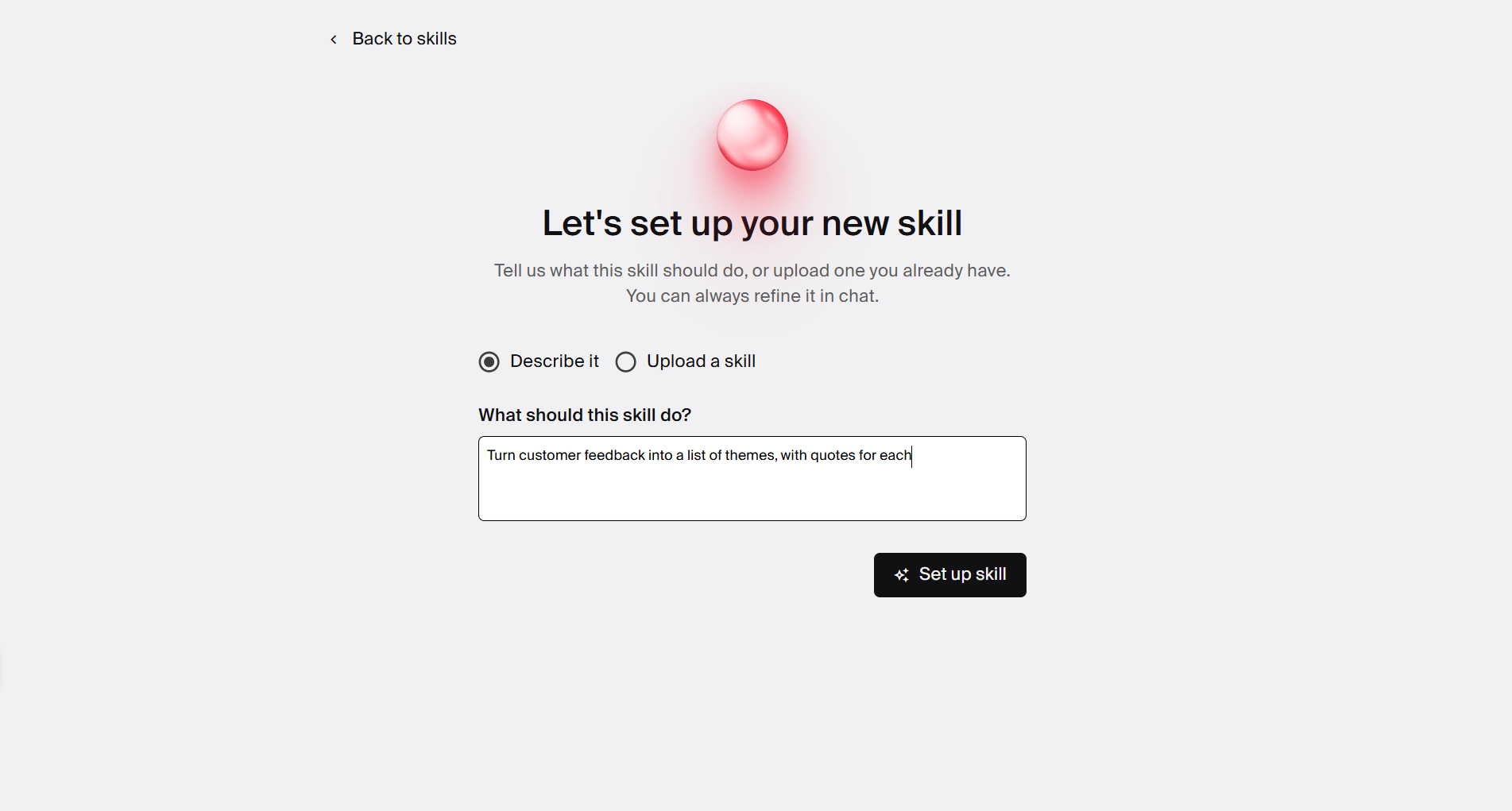
Describe or import a skill. In Agent Studio, you can create a skill by describing the task you want it to handle.
If your team already has some skills built on an external system, you can also import them into Typeface.
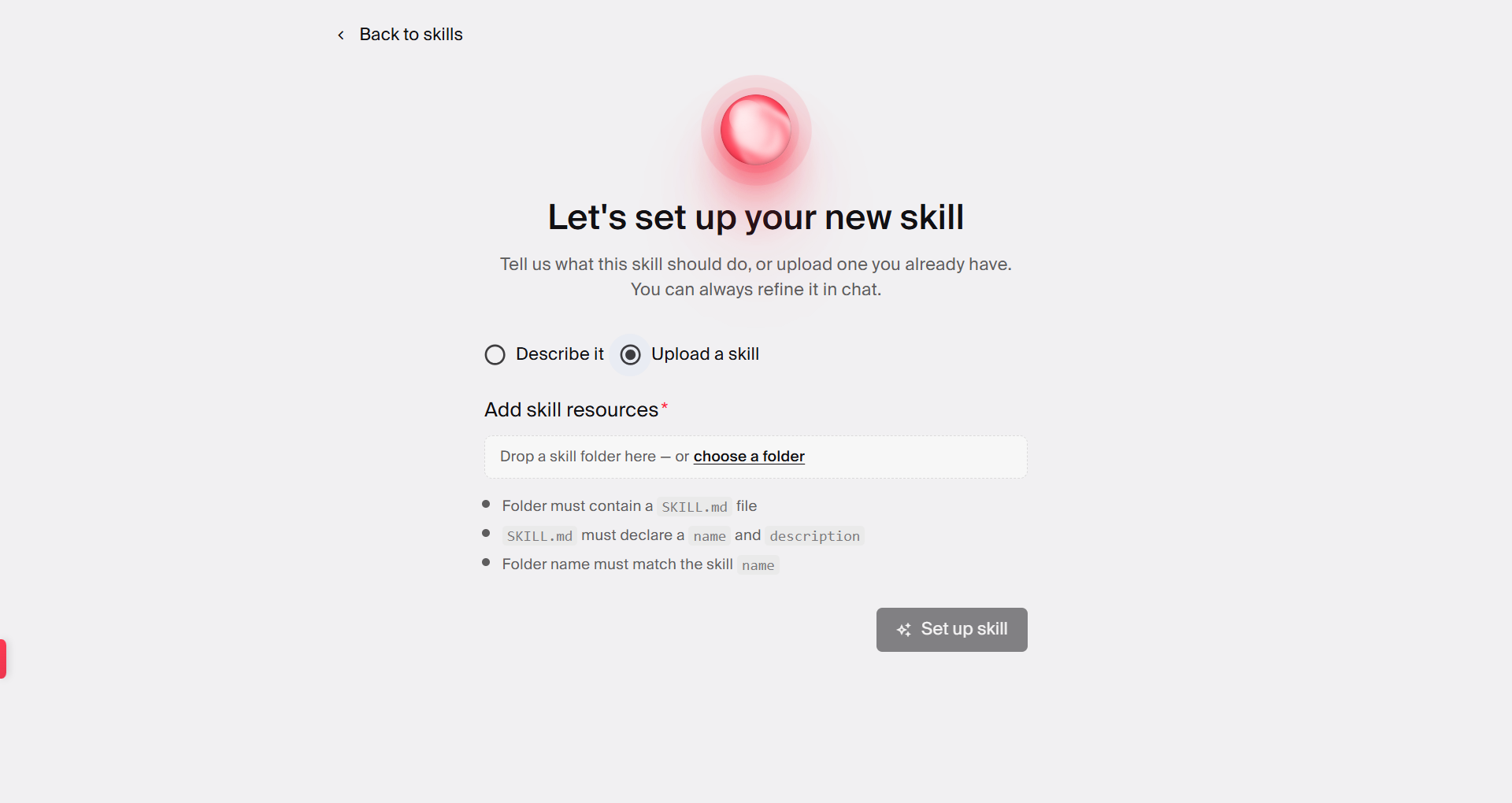
Alternatively, you can create or import AI agent skills through chat. Describe the skill you want to create or upload a skill ZIP file and ask chat to import it. Chat will flag any issues before adding your skill.
Review the generated skill. Based on your description, Typeface proposes a name, writes the description and instructions, and adds any supporting files.
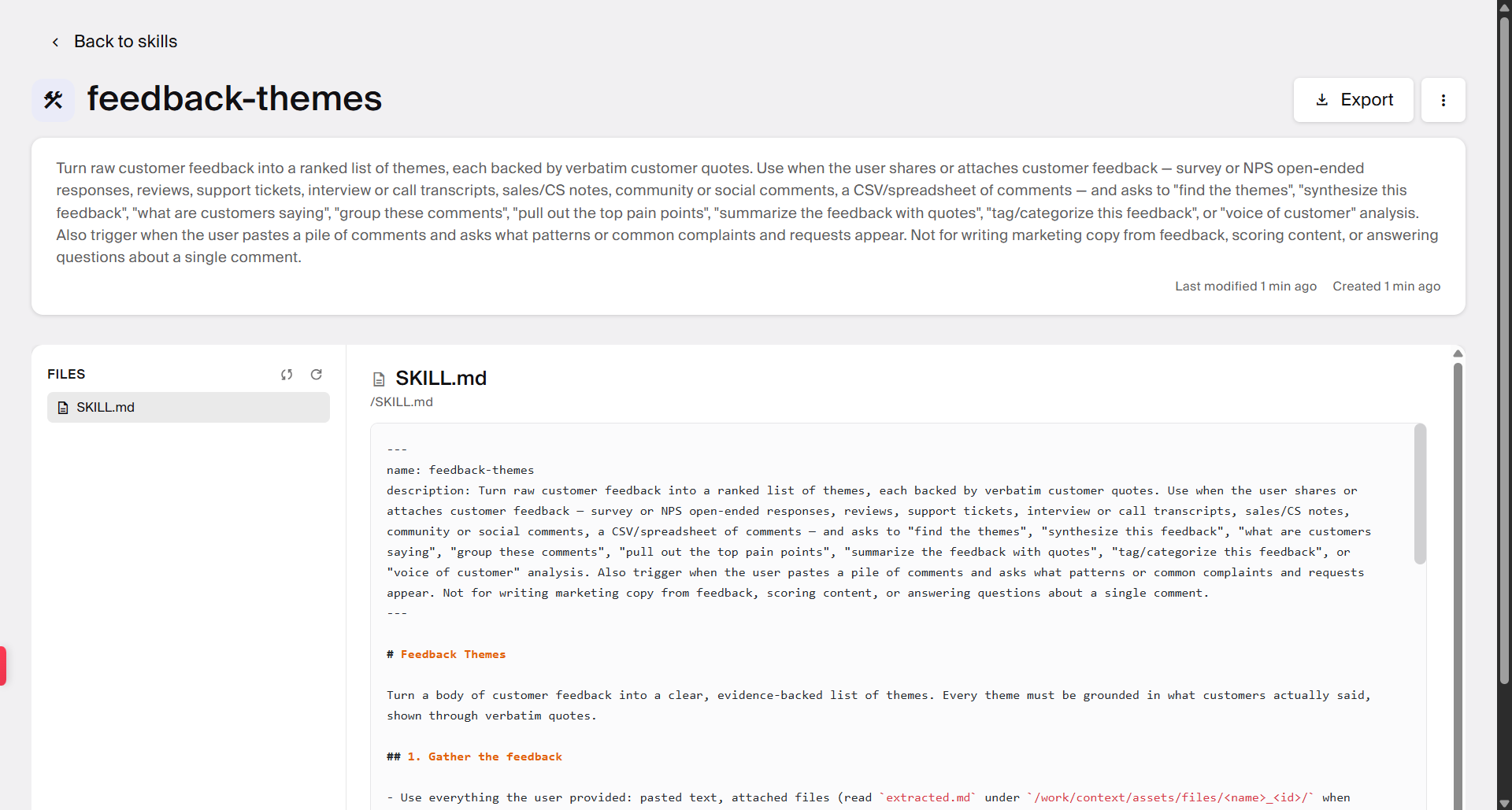
Check the SKILL.md file, its inputs, steps, and outputs, and any supporting files.
Run it. Type / in chat, pick the skill, and add your request. The skill also runs automatically when a request matches its description.
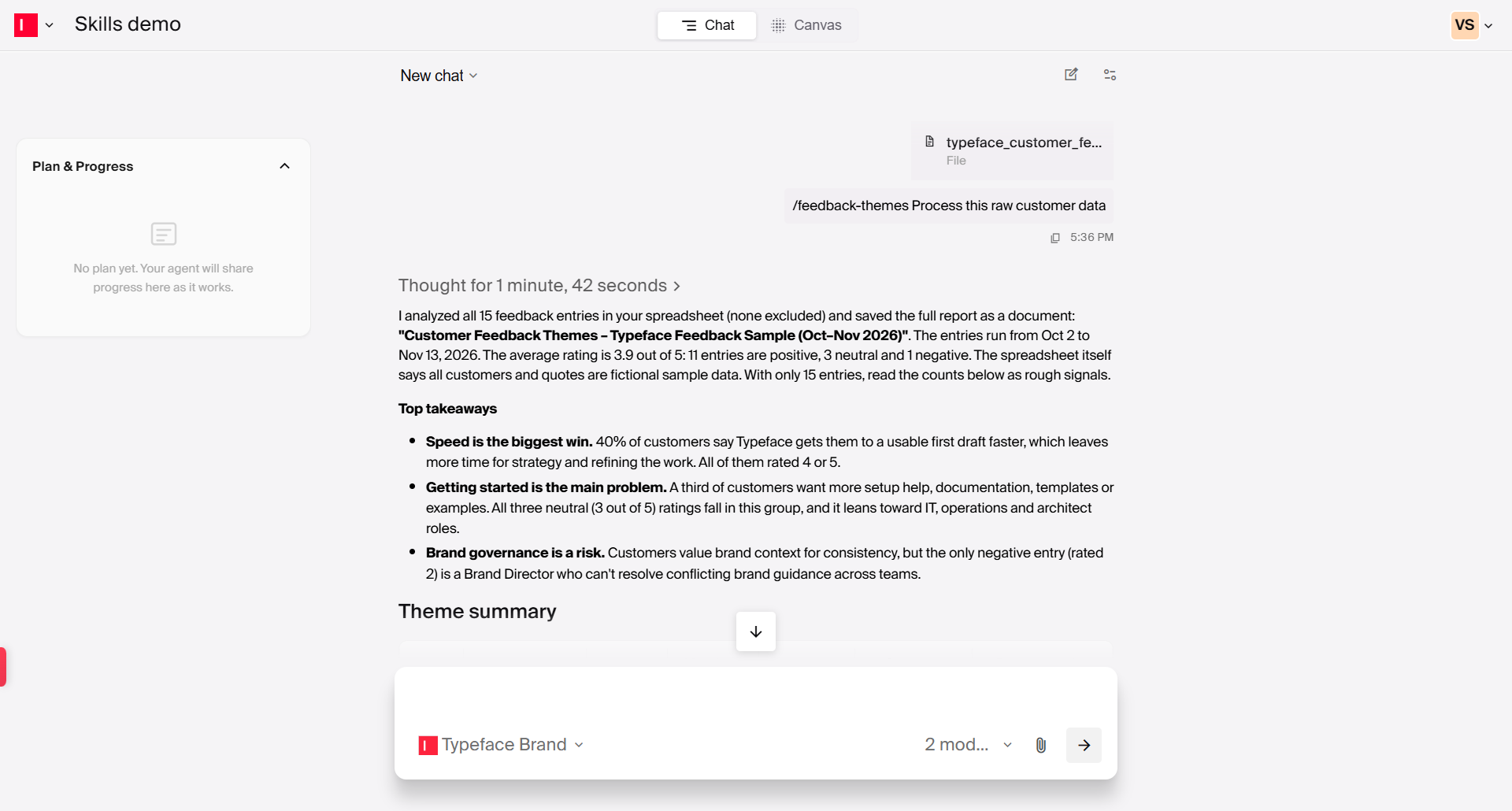
Edit it. You can update a skill's instructions, description, or supporting files as your needs change. In chat, ask for changes in plain language and mention the skill you want to update. For example, "Update [skill name] to also include a summary table." Chat will make the changes for you.
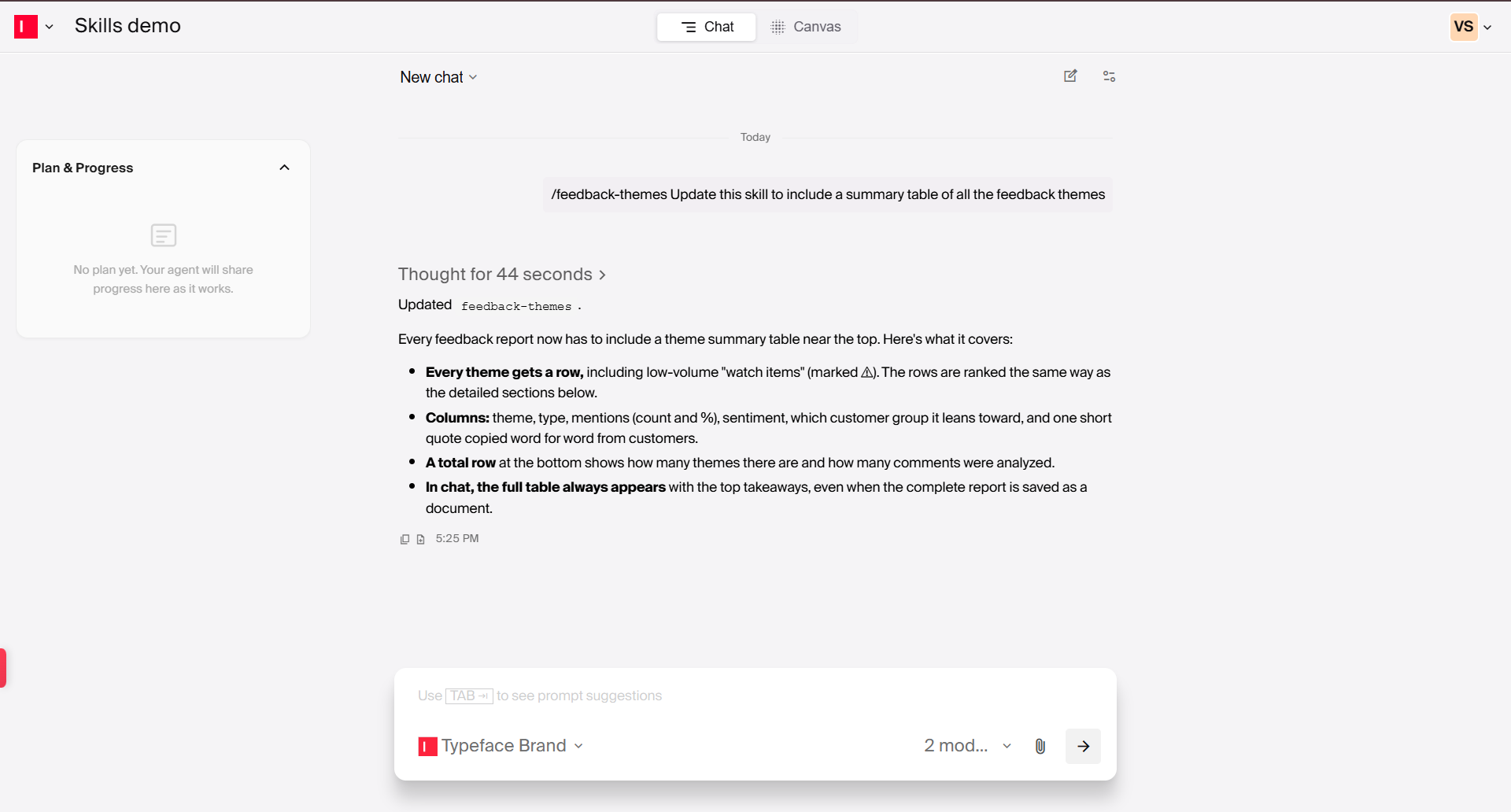
You can also make changes using the ‘Replace’ option in Agent Studio. This allows you to upload an updated skill folder with all the changes you need.
How should a team choose and test its first skill?
Choose a bounded task with a named reviewer, then test it on real sample inputs against acceptance criteria you write before you start.
Name the reviewer. Pick the person who approves this work today and get them to agree to score the test runs.
Collect 5 to 10 real examples. Use past work and include at least one tricky case.
Write the pass/fail rules first. For example: no banned words, required legal lines present, and approved with only minor edits.
Run and score. Run the skill on every example and have the reviewer mark each result pass or fail.
Fix the instructions to get better results. When a result fails, change the skill and run it again. If a change makes things worse, restore the earlier version.
Once the skill passes consistently, promote it from team level to organization level so other teams can use it. Then pick the next task. Each skill you add builds a library of reusable expertise shaped by your organization's workflows and review processes.
How do Arc Fabric and Arc Graph support repeatable work?
Arc Fabric is where your AI agent skills live and run. It orchestrates repeatable tasks so your team can use the same instructions and processes across different projects. Arc Graph provides the context behind that work, including your brands, products, campaigns, audiences, and strategy.
Take a product launch. Arc Agents plan the sequence and call the relevant skills to generate content for the campaign. Arc Fabric orchestrates the sequence and the handoffs, while Arc Graph brings in the relevant brand and audience context to guide each piece of content.
This shifts brand governance earlier in the process. Voice, terms to avoid, design rules, and sub-brands apply automatically. Nobody has to remember to paste in the guidelines, and agent skills for marketing tasks can draw on your team's own materials. Reviewers can then focus on decisions that need their input rather than correcting brand inconsistencies.
Turn your team's expertise into skills
Your team already has the expertise. AI agent skills let you capture that expertise and make it repeatable, governed, and on-brand every time someone uses it.
Start with one task your team handles often. Define the inputs it needs, the steps it should follow, the brand context to apply, and who reviews the output. Test it against real examples and expand your skill library.
With Arc Fabric orchestrating the work and Arc Graph bringing in your brand and business context, your team can build on its existing expertise across more marketing workflows.
Want to explore what you can do with Typeface? Check out our Getting Started with Typeface guide.
Frequently asked questions
Q. What are skills in AI agents and how do marketers use them?
AI agent skills for marketing turn your team's expertise into reusable work. They are reusable packages of task-specific knowledge that an agent follows to complete the task. Marketers use them to standardize work like campaign brief generation, localization, content repurposing, SEO refreshes, etc. The agent picks up the right skill when a request matches, so the work runs the same way each time.
Unlike generic skill files, they apply brand context at generation, carry version history, and can be shared at team or organization level. They also improve over time based on how your content performs.
Q. Is an AI agent skill the same as a saved prompt?
No. A saved prompt stores a request, and a skill stores a procedure. It holds the instructions for the task, when it should run, supporting files, brand context, and review steps. Furthermore, a skill loads automatically when a request matches its description.
Q. How do Skills and Workflows relate to Arc Agents?
Skills and Workflows are two kinds of Arc Agents in Typeface. Agent skills for marketing are reusable capabilities you describe in chat, and an agent uses them to do specific marketing tasks that need some judgment. Workflows are deterministic sequences composed in Agent Studio for processes that should run identically every time. They work together as part of Arc Fabric to orchestrate campaigns.
Q. Which marketing task should become a skill first?
Start with a bounded task your team repeats often and reviews the same way each time. Campaign briefs, brand compliance reviews, and localization are common first choices because they have clear inputs, a clear output, and a named reviewer. Test the skill on 5 to 10 real past examples against acceptance criteria you define in advance.
Q. Can we just use free skills from public directories?
You can use them to learn the format, but they won't give you a lasting advantage. Public skills can be copied and reused across teams, but they don't come with your brand knowledge, audience context, approval processes, or performance insights. The value comes from building skills on your own workflows and brand context, which grows into a library of agent skills for marketing specific to your organization.
Related articles
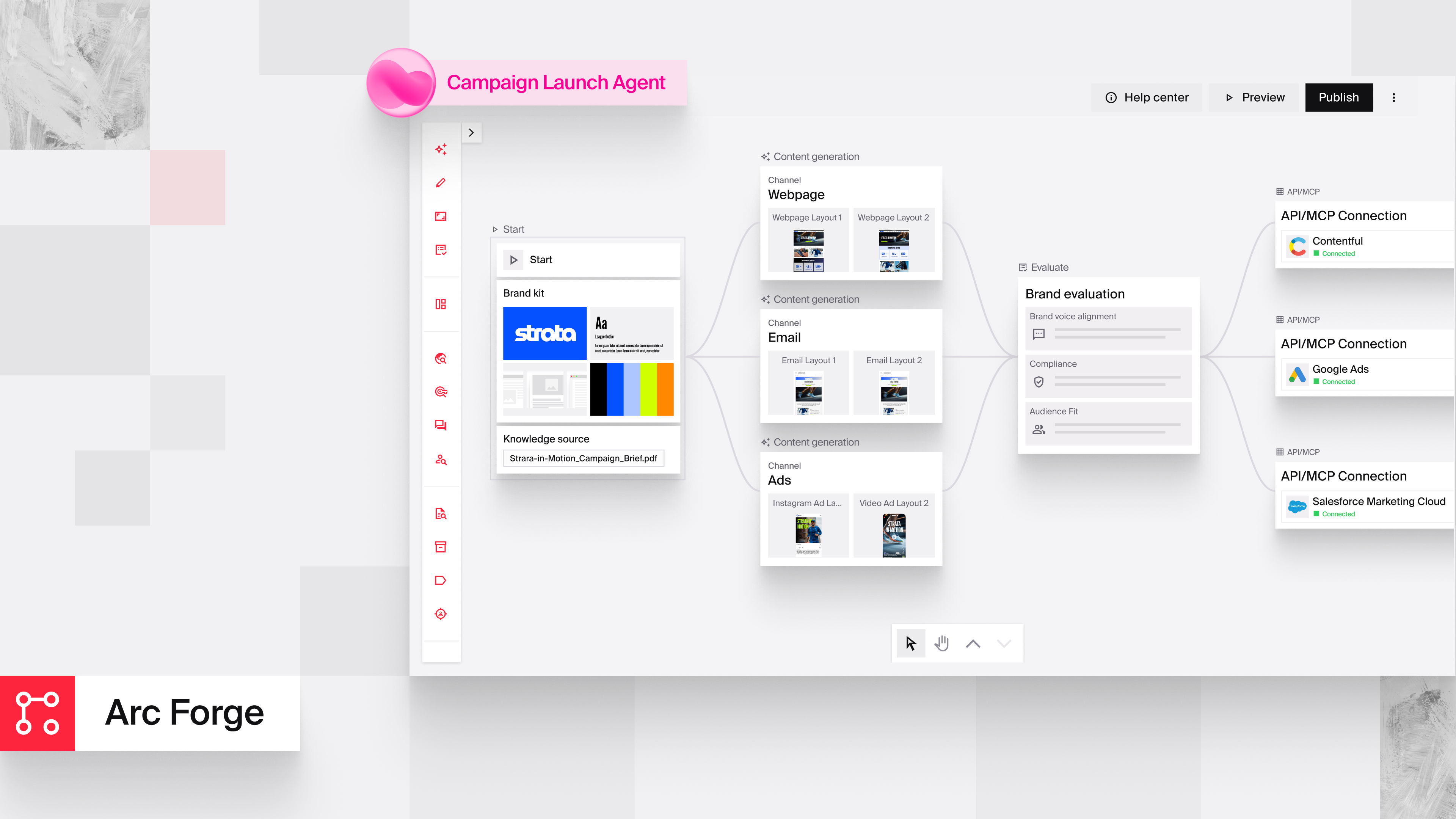
April 29, 2026
You likely already have AI pilots running in pockets of the business, teams experimenting with prompts, and a small group of power users getting impressive results. Yet those wins rarely become reliab
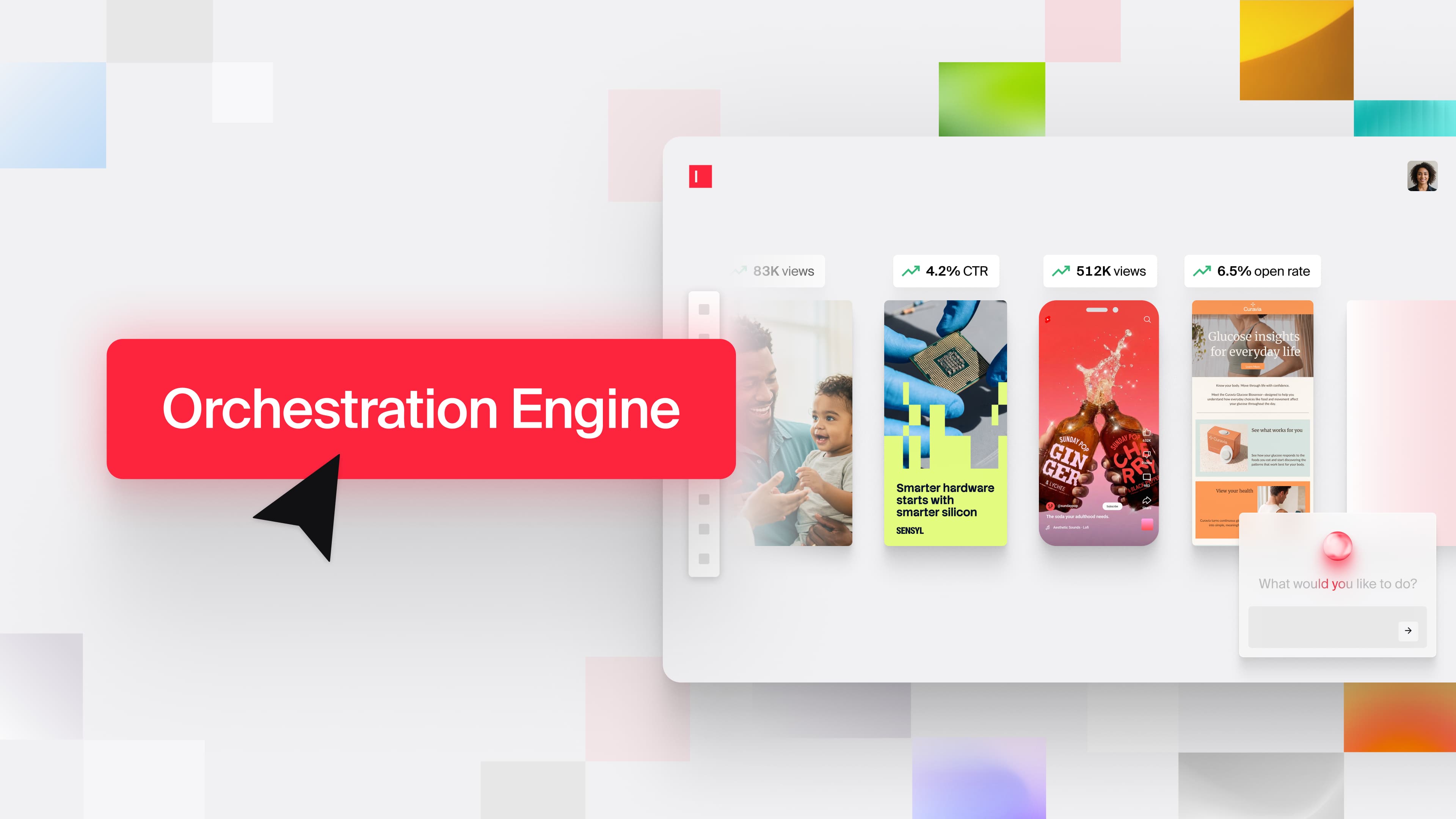
September 22, 2026
Arc Graph, Arc Fabric, and Arc Loop are the three products behind the next generation of the Typeface Orchestration Engine, built to turn brand intelligence into shipped work, then feed the results ba

October 29, 2026
AI transformation in enterprises is about more than adopting new AI tools. It means changing how work gets done by embedding AI into existing workflows and measuring its impact against results that ma