

AI summary
Your next campaign visual can take shape with a sentence. With text-to-image generation, lifestyle photos, campaign concepts, localized ads, seasonal catalogs, and A/B testing variants come together faster, in your brand's style.
Multimodal AI turns a text prompt into a finished visual, using your product photos, visual style guide, and reference images as context. Describe the shot you want, like "our sneakers on a wet city street under neon light," and the platform generates custom product photography, social graphics, and display ads without a detailed design brief or a blank canvas.
How to use multimodal AI for visuals
On most days, designers juggle creative versions and micro-revisions while marketers wait for updates. You can't expect designers to work faster, and an image prompt alone isn't always enough to create on-brand visuals.
Produce more creative in less time
Multimodal AI speeds up the creative process. You can explore multiple concepts, create culturally relevant variations, repurpose product photography, and adapt assets for different channels, audiences, languages, and formats in far less time than it would take manually.
Meet brand standards for visuals
Multimodal AI makes creative production easier by going beyond a detailed image prompt and grounding every visual in brand guidelines, product images, logos, typography, reference visuals, and other creative context. That gives your team the freedom to create high-quality, on-brand assets without relying on designers for every routine request.
Improve collaboration between marketing and creative teams
A multimodal AI marketing platform that gives marketing and creative teams a shared workspace helps everyone contribute without creating more work for designers. Marketers can generate brand-compliant visuals for review, while designers focus on creative direction, complex campaigns, and final refinements instead of repetitive production work.
Use cases
Multimodal AI supports almost every stage of visual content creation, including:
Lifestyle imagery
Social media graphics
Blog features
Website hero images
Campaign concepts /Creative ideation
Seasonal campaign assets
Localized creative
A/B testing variants
Rather than treating every request as a new project, multimodal AI helps extend the life of existing creative. A single campaign can quickly generate multiple creative concepts while maintaining your brand’s visual standards. You can also create video content like social media reels and video ads from your existing footage and images.
Create visual content using multimodal AI
Start by teaching the platform how your brand looks. Upload 10-15 image styles, like eCommerce, seasonal, or illustration examples, and the AI learns your defining visual identity components, like brand color tones, textures, and other patterns. You can also upload logos and set your brand color palette, so every generated asset uses your exact colors and brand mark.
Our knowledge graph, Arc Graph, organizes all brand knowledge for shared use by teams and updates as your brand evolves. Typeface brings visual creation, review, and publishing into one workspace. Image Agent creates and adapts visual content.
Input a prompt
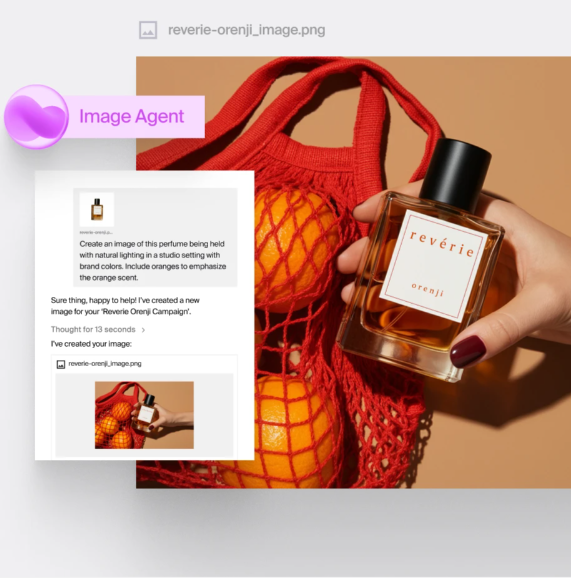
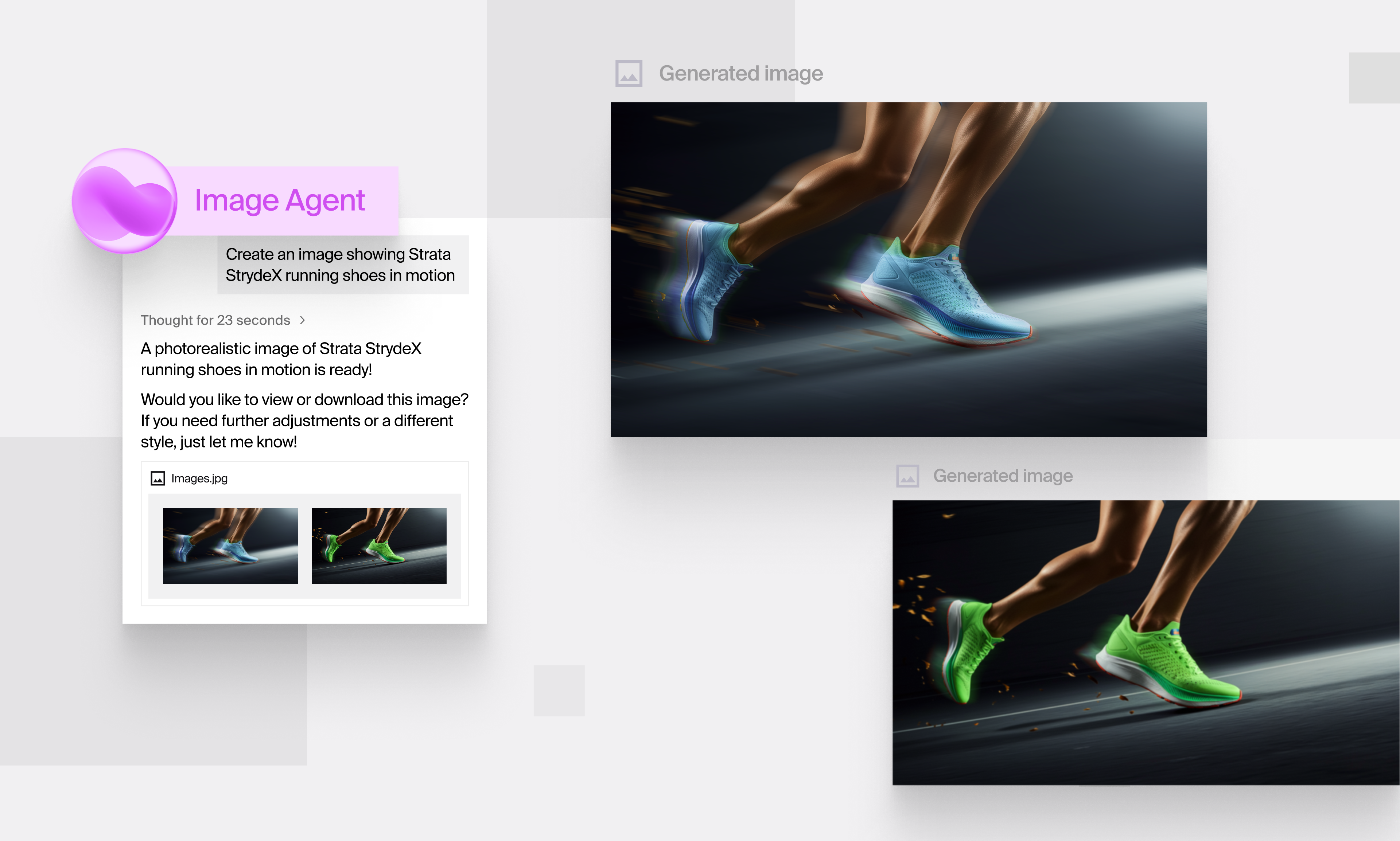
Describe the visual you want to create. You can keep it simple, like "Show our serum on a marble countertop with soft morning light," or describe an entire campaign scene in plain language.
Ground it in your brand
Image Agent uses your brand guidelines for visuals, product images, campaign brief, and other relevant docs to generate assets.
Add product and reference images
Upload product photography, packaging, lifestyle imagery, reference visuals, and campaign assets. Image Agent uses these alongside your prompt to generate new visuals or adapt existing ones, such as product shots in new environments, visuals inspired by reference imagery, or campaign assets tailored for different markets.
Refine, approve, and publish
Use the chat interface or Design Editor to refine your visuals.
Edit with chat: Describe the changes you want, such as replacing a plain background with a city skyline, softening shadows, changing the camera angle, or extending an image to fit a wide banner.
Fine-tune in Design Editor: Resize images, reposition elements, add brand logos or text overlays, and make precise adjustments. If you want to undo a round of changes, use version history to restore an earlier version.
Repurpose creative: Convert a portrait image into a widescreen banner, create a version for a different market, or transform a daytime scene into an evening setting.
Related reading: How to Use Multimodal AI for Written Content
See what’s possible with multimodal AI
Your team needs a faster way to create on-brand creative. Turn every source of brand context into engaging campaigns with Typeface. Get a demo or discuss your requirements with our team.
Related articles
November 7, 2025
An image can do what a thousand words can’t - In a single glance, it conveys emotion, story, and brand identity. But here's the problem: You spark an idea, brief the designer, and wait. They’re swamp
May 14, 2026
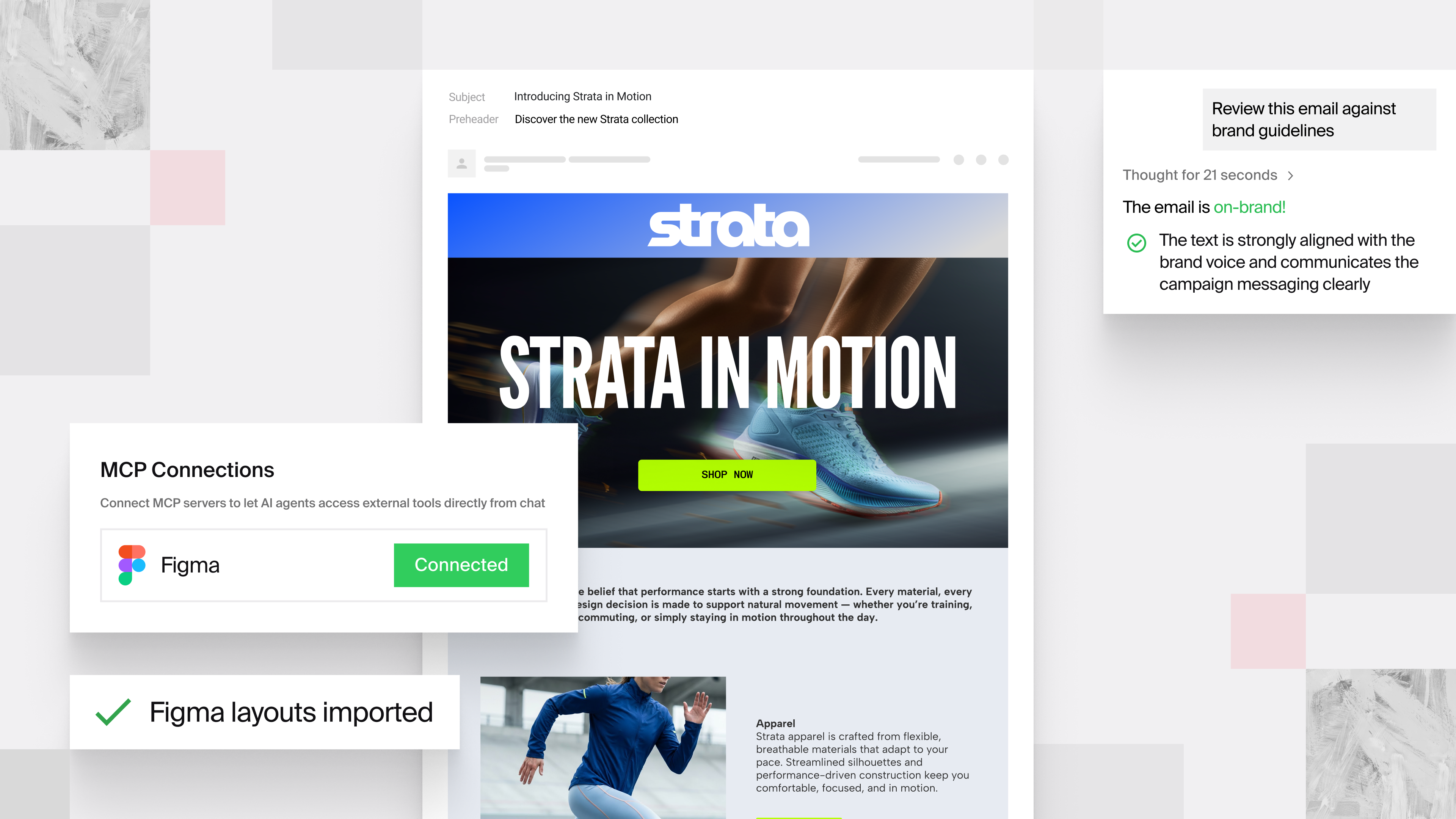
Creative teams can now move faster with new Typeface innovations - Figma integration, Visual Brand Evaluator, Adaptive Templates and more - all in one platform. Your creative team is producing more c
May 21, 2025
Despite investing heavily in content creation, your materials reach only a fraction of potential customers worldwide. Why? It’s probably because of an outdated content localization approach that trap