September 1, 2026
A Guide to AI Product Photography for Display Ads
Neelam Goswami
Senior Content Marketing Associate
AI summary
Learn how AI product photography generates one product scene and adapts it to every display ad size, market, and refresh cycle, without reshooting or manual recomposing.
A single display campaign often needs the same product shot rebuilt for a leaderboard, a half page, a wide skyscraper, a medium rectangle, and a mobile banner. Add to that localized versions, then refreshed versions, and the creative is sure to burn out.
Google lists nine common display ad sizes for desktop and five for mobile, from a 970×90 leaderboard to a 200×200 square. Multiply that by your markets, your audience segments, and your A/B variants, which means one approved hero image quietly becomes a few hundred deliverables.
This volume game is where creative production struggles. It's also exactly what AI product photography is good at.
Why display ads are harder on product photography than they look
A product shot is composed for a specific frame. Move it to a different one and the composition may not work.
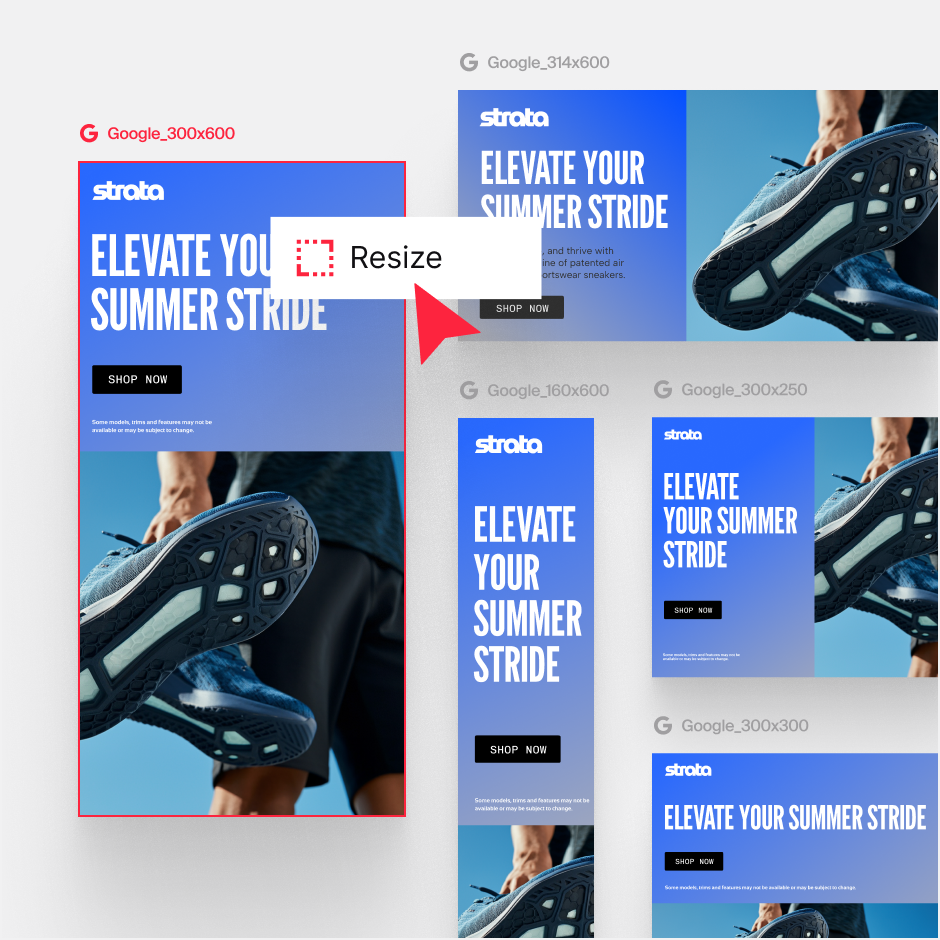
A 160×600 wide skyscraper is nine times taller than it is wide. A 728×90 leaderboard is eight times wider than it is tall. The same photograph cannot serve both. If you crop for the skyscraper, you lose the product's context; crop for the leaderboard and you lose the product itself. Traditional workflows solve this by having a designer manually recompose every size, which is slow, expensive, and the first thing to get cut when a deadline tightens.
Then there's refresh. The impact of your display ads decays with exposure: the same audience sees the same banner repeatedly and click-through falls as cost per acquisition drifts upward. To fix this you need new creative, which puts you straight back into the production bottleneck you just emerged from.
Five ways to use AI product photography for display campaigns
1. Compose once, generate for every slot
Instead of cropping down from a single master, generate the product scene at each aspect ratio so the composition is right in every frame. AI outpainting extends a scene beyond its original borders, filling in more table, more sky, more background, which is what lets a square studio shot become a wide skyscraper without squeezing the product or cutting it in half.
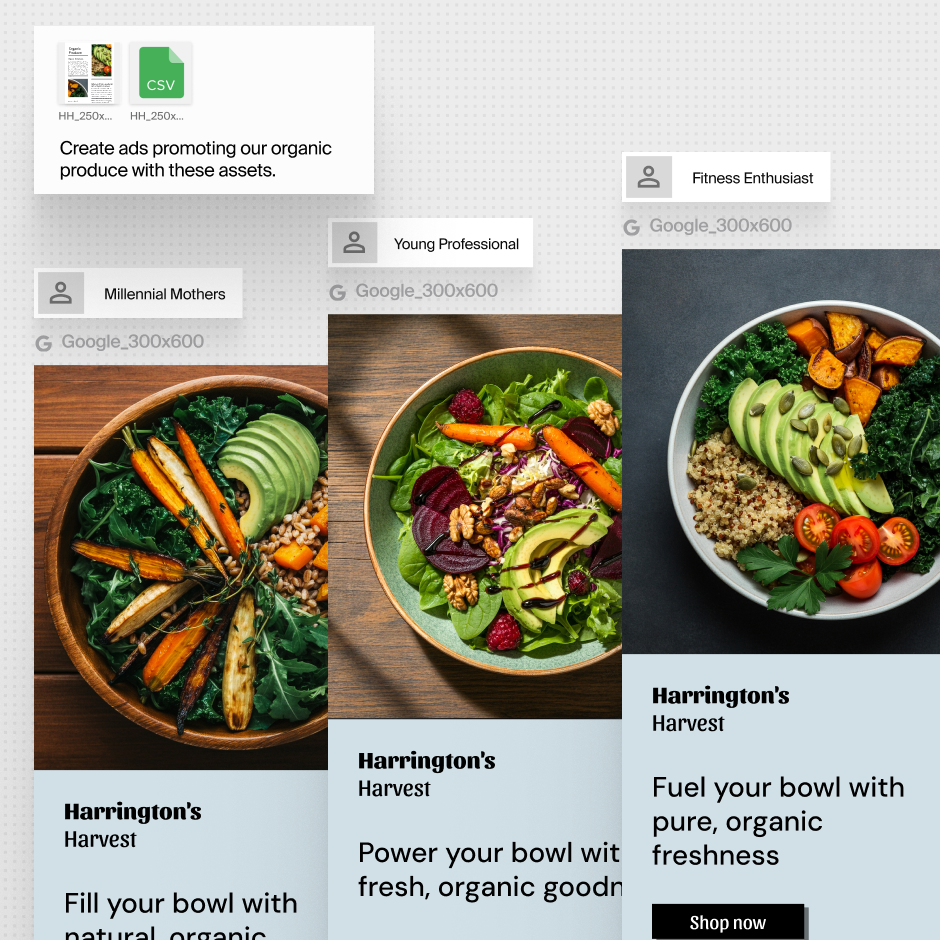
Practically, create your hero shot, then let Typeface Ad Agent extend and recompose it per size rather than asking a designer to rebuild each one.
2. Build in negative space for copy
Display units carry a headline, a logo, and a CTA on top of the image. Product shots that fill the frame edge to edge leave nowhere to put them, and text ends up sitting on the product.
Prompt for it deliberately. Asking for "product positioned lower right, clean uncluttered space in the upper left" produces an image the copy can actually live in. It's a small change in how you brief the shot, and it removes most of the back-and-forth between the creative and performance teams.
3. Refresh the setting, keep the product
Creative fatigue is a setting problem more than a product problem. The product is the constant but the scene around it can get stale or outdated pretty quicky.
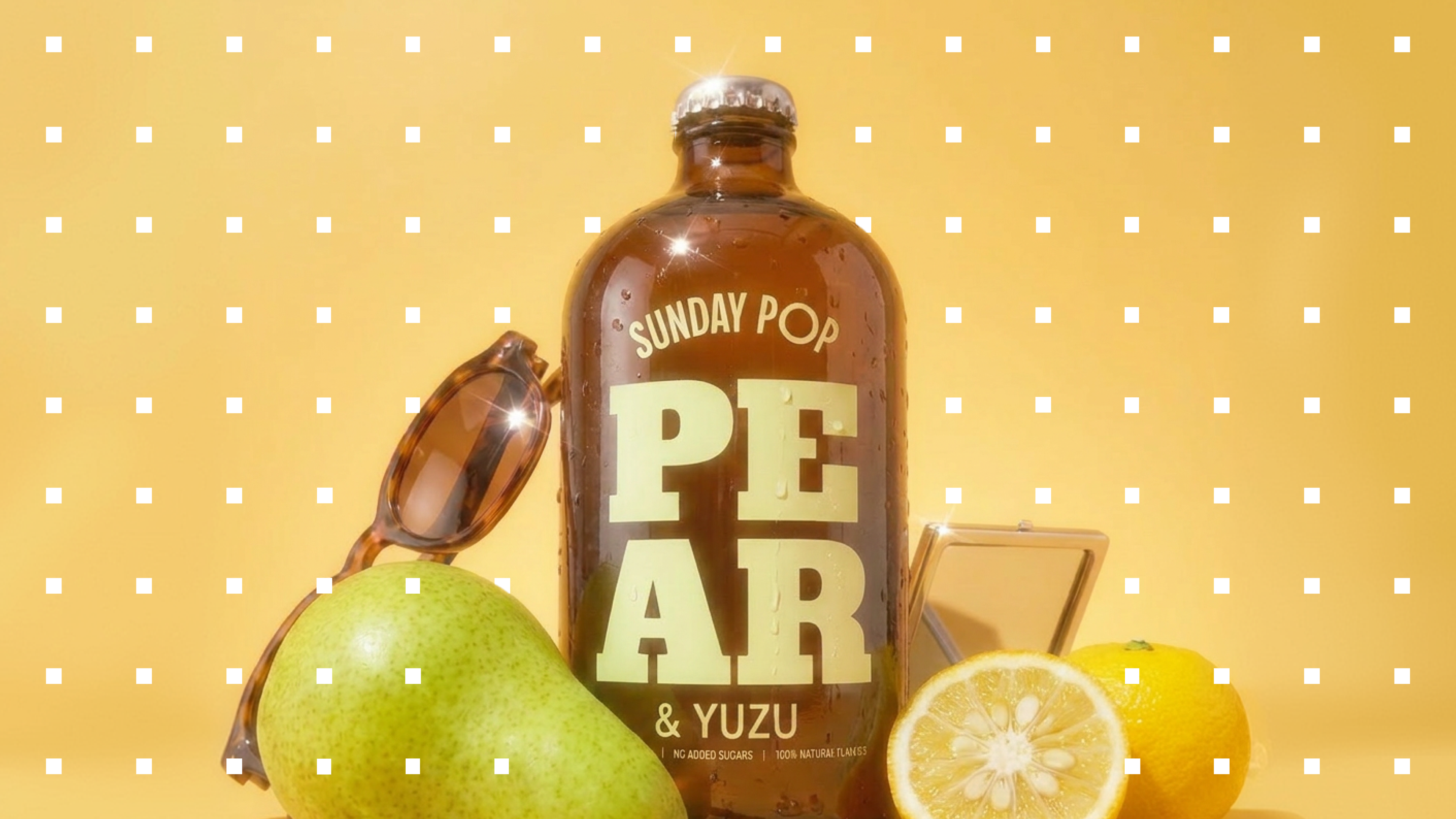
Typeface Image Agent lets you regenerate the environment with new background, new season, new lighting, and new props, while your product asset stays pixel-identical across every version.
That gives the performance team a steady supply of genuinely new-looking creative without a new shoot, and keeps the brand asset consistent while it changes.
4. Localize without reshooting
The same product in a European café, a Tokyo street, and a Midwestern kitchen reads as three different campaigns to three different markets. With AI product photography, generating those variants costs the same as generating one.
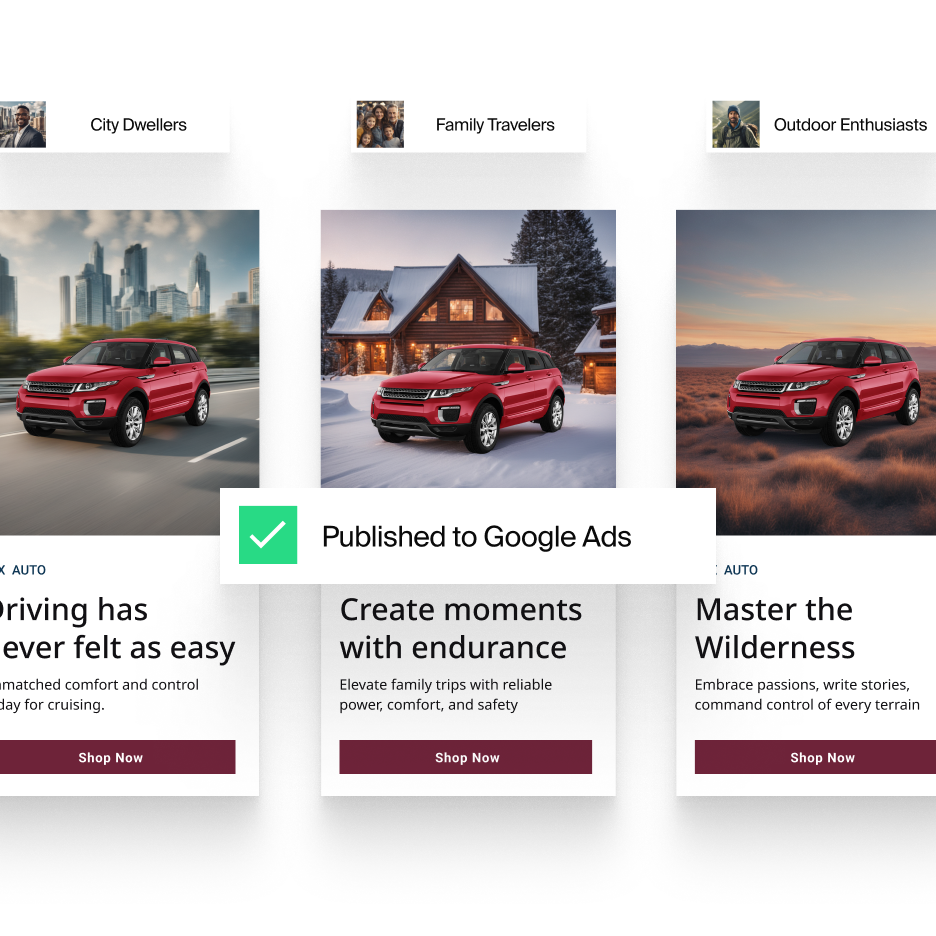
This matters most where a setting that works in one market falls flat in another. For example, snowy holiday imagery for a market that has no winter, or interior styling that doesn't match local homes, would fail to connect with the target customer.
5. Test the concept before you commit budget
Because generating a variant is quick and inexpensive with Image Agent, you can put five settings into a low-spend test and let the data pick the direction, rather than committing to one expensive shoot and discovering in week two that the concept underperforms.
How to build display creative on Typeface
Build the parent scene. Upload your product shot to the Typeface chat and describe the setting you want, or drop in a reference image and let it match that look. Flux-based blending places the product with matching textures, lighting, and shadow, so it reads as photographed in the scene rather than composited on top — the difference between a display ad that works at 300×250 and one that falls apart under scrutiny.
Ask for the negative space. Refine in conversation until the composition leaves room for your headline and CTA. This is faster to fix at generation time than in the layout.
Adapt to every unit. Ad Agent transforms the approved creative into any aspect ratio or channel-specific format while preserving the design's integrity. Generative resizing extends or crops the scene so the composition survives the new shape. Saved design templates, imported from Photoshop or Figma, keep brand elements locked across sizes.
Generate the variants. Bulk Create produces market, audience, and message variations from pre-approved copy and assets, down to different headlines, backgrounds, and CTA button colors. Platform optimization flags character limits and format requirements as you go, and approved campaigns publish straight to Campaign Manager 360, Google Ads, and Meta Ads.
Get more from your product shots
Display advertising rewards volume and freshness, which is where traditional product photography sometimes falls behind.
For more ways to apply this across campaigns, channels, and seasons, see our AI product photography ideas for ad campaigns.
Ready to see it on your own products? Book a demo of Typeface.
Frequently asked questions
What do I need in place before I start?
Four things:
Clean product assets, ideally shot from several angles, at high resolution
Brand guidelines including palette, logos, fonts, approved styles, stored somewhere the AI can actually read, not in a PDF nobody opens
A clear placement in mind, since a shot composed for a mobile banner and one for a half-page are different shots
Someone who can say yes. Production stops being the bottleneck almost immediately but approval can become one if the process is not laid out straight.
How do you stop AI display creative from looking generic?
Generic input give you generic output. Three habits make most of the difference in AI image generation.
Brief specifics, not moods. "A chipped enamel mug on a windowsill in low winter light" gives the model something to work with. "Cozy lifestyle scene" is just a cliché and the output will reflect that.
Work from your own references. Feeding the AI an image from your own brand's visual history anchors output to your look rather than the model's defaults, which are the aggregate average of everything it trained on.
Don't ship the first usable result. The first generation tends to be the most average one. The interesting versions usually come two or three refinements in.
Should headlines and CTAs be part of the generated image?
Keep copy as a separate editable layer, almost always.
A display ad with a subtly misspelled headline is worse than no ad. Beyond that, text baked into an image can't be localized, can't be A/B tested, and can't be corrected without regenerating the whole asset — which defeats the point of generating at volume.
How do you review and approve creative at this volume?
This is where the bottleneck moves once production stops being one. Getting 200 variants through brand and legal review is not easy, and teams can get stuck on this.
The workable pattern is approving at the parent level rather than the variant level. Sign off the master creative, the brand rules, and the approved copy pool once. Then treat generated variants as in-policy by construction rather than reviewing each one.
Related articles
August 31, 2026
In food and beverage, visuals move product. Think of the perfect McDonald's burger in a commercial, or the condensation beading on a chilled Coca-Cola bottle. These aren't just attractive images but s
August 20, 2026
Multimodal AI combines text, image, video, and audio to create multiple content types at the same time, supporting enterprise multi-channel campaigns. Examples of multimodal generation: A video with

March 18, 2026
With 11.4 million searches happening every minute across Google Search and Display Network, the opportunity to reach customers is massive, but so is the work required to do it well. Creating a single