August 31, 2026
AI Image Generation for Food & Beverage Brands: How to Ace Food Photography with AI
Neelam Goswami
Senior Content Marketing Associate
AI summary
Discover how food and beverage brands can leverage AI image generation for food photography. Find some great tips to create on-brand food product shots.
In food and beverage, visuals move product. Think of the perfect McDonald's burger in a commercial, or the condensation beading on a chilled Coca-Cola bottle. These aren't just attractive images but strategic assets that convert customers. You eat with your eyes first.
Until recently, this meant spending thousands of dollars on studios, specialized photographers, and food stylists and still having to wait weeks before a first look was ready. AI image generation has changed the economics, letting brands produce consistent, customizable imagery at a fraction of the cost and time, while staying inside brand guidelines.
Forbes reports that F&B brands slow to adopt AI risk falling behind, with Mondelez International and Coca-Cola already using it for personalized images, text, and video.
What is AI food photography?
AI food photography is the use of AI to create, enhance, or modify images of food products without a traditional shoot. These tools generate photorealistic food imagery from text descriptions, reference images, or product specs, producing visuals that read as professionally photographed without physical product, a studio setup, or a photography team.
For F&B enterprises, Typeface Image Agent speeds up the whole product photography process while keeping output on-brand. Global food and beverage brands using our brand-personalized AI for website product shots, online storefronts, and geo-specific creative have cut image production time by 50 to 90% while significantly reducing costs.
Making AI food photography work for your brand
AI image generation offers real advantages for F&B marketing, but teams often struggle to hold brand consistency or reach genuinely professional quality. Six things that make all the difference.
1. Start with clear brand guidelines
Document what makes your food photography distinctive before you generate anything. Your image styles, color palettes, logos, and fonts need to carry through every visual. Clear guidelines are what you train the AI on.
On Typeface, Arc Graph holds your image styles, color palettes, layouts, logos, fonts, text style guides, and brand voices in one place. Generations draw on that context, so output stays aligned by default rather than by correction.
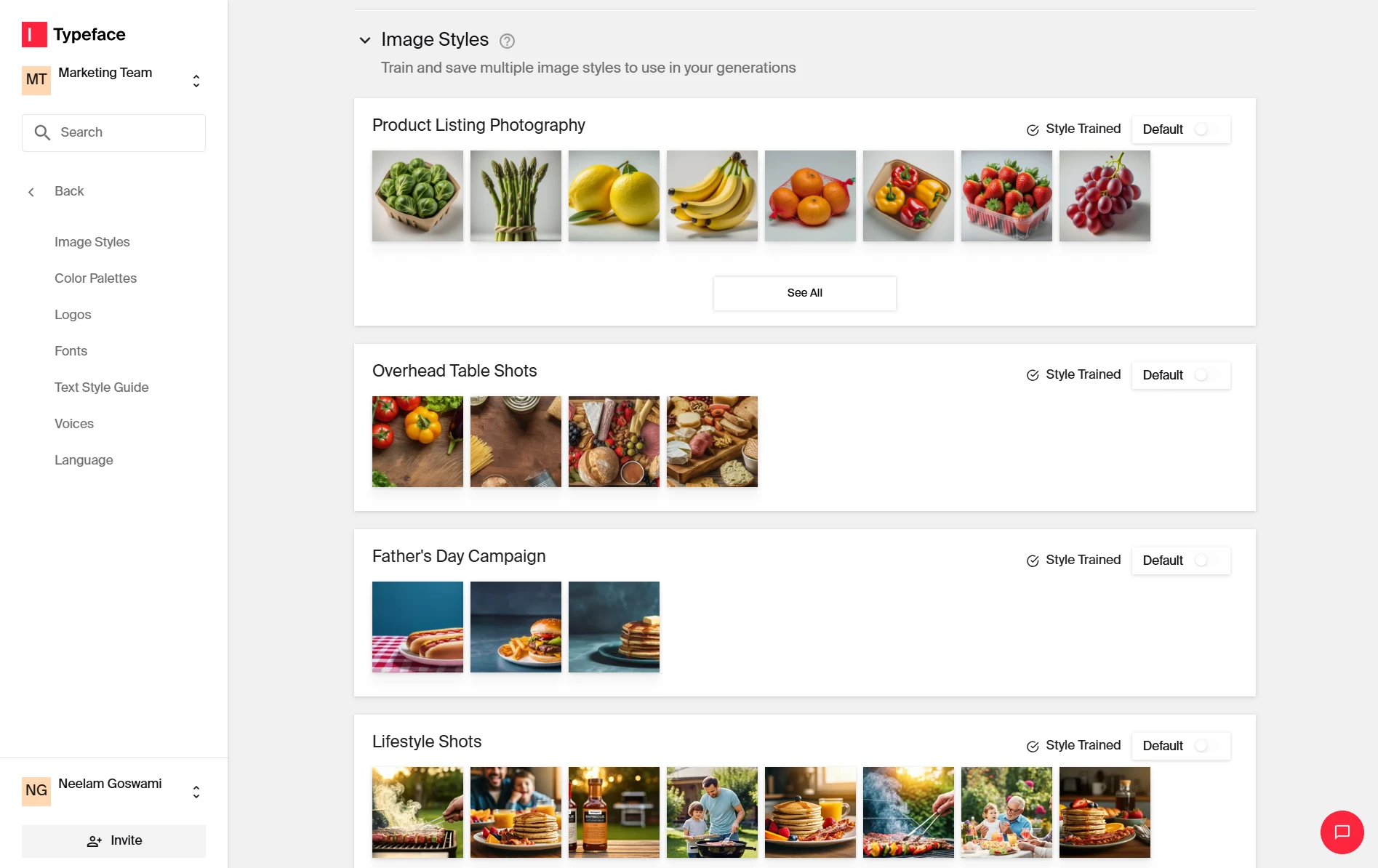
Train the AI on the specifics of your visual identity: signature lighting (bright and clean vs. warm and moody), typical camera angles and composition rules, and your standard background surfaces and environments.
2. Build prompt templates you can reuse
Output quality tracks prompt quality. Standardized AI image prompt templates keep results consistent and on-brand. A good template covers:
Technical specifications (photorealistic, studio lighting, 4K, camera and lens)
Brand descriptors (vibrant, rustic, elegant)
Exact composition requirements
References to professional photography techniques where useful
On Typeface, much of this is handled for you. Image Agent is conversation-led. Describe the shot in plain language and refine from there, so the template lives in how you brief rather than in a string you have to maintain.
Working from a reference image could skip the description entirely; drop in a shot with the look you want, and Image Agent matches it while placing your product naturally.
3. Generate images that appeal to your target customer
In F&B, audience segmentation usually drives visual strategy. Fanta, Oreo, and Mars build imagery aimed at younger consumers; Hershey's, Toblerone, and Mountain Dew tailor theirs to adult preferences and purchasing behavior.
AI makes that segmentation practical by enabling audience-specific product photography without a separate shoot for each demographic. You can test and deploy different visual approaches against audience data, varying styling, context, and composition while holding brand consistency.
Take a beverage brand targeting two segments: one that spends the day relaxing on the beach, another drawn to surfing and water sports.
Prompt: An up-close photo of a can of beer sitting on a surface of beach pebbles, low angle view, ocean in the background, sunset sky, bright and natural lighting, Nikon, vivid colors, commercial photography.
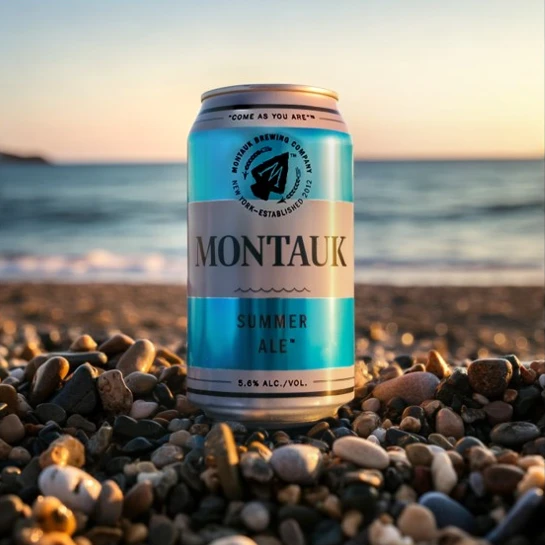
Prompt: An up-close photo of a can of beer sitting on a surfboard on the sand, low angle view, ocean and blue skies in the background, Montauk, bright and natural lighting, Nikon, vivid colors, commercial photography.
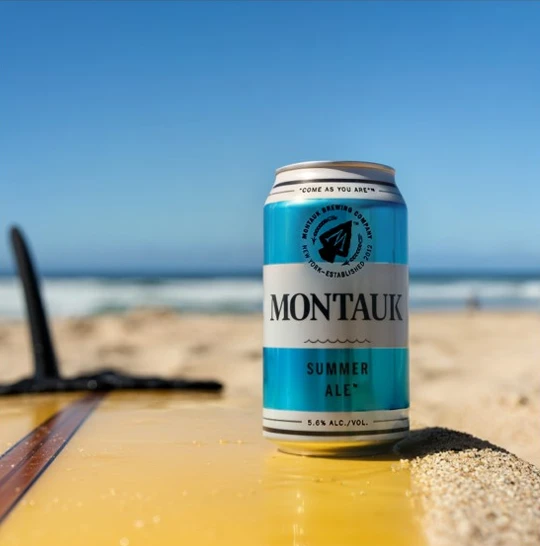
For more ways to vary a product shot across campaigns, seasons, and channels, see our AI product photography ideas for ad campaigns.
4. Make sure product assets blend into the scene
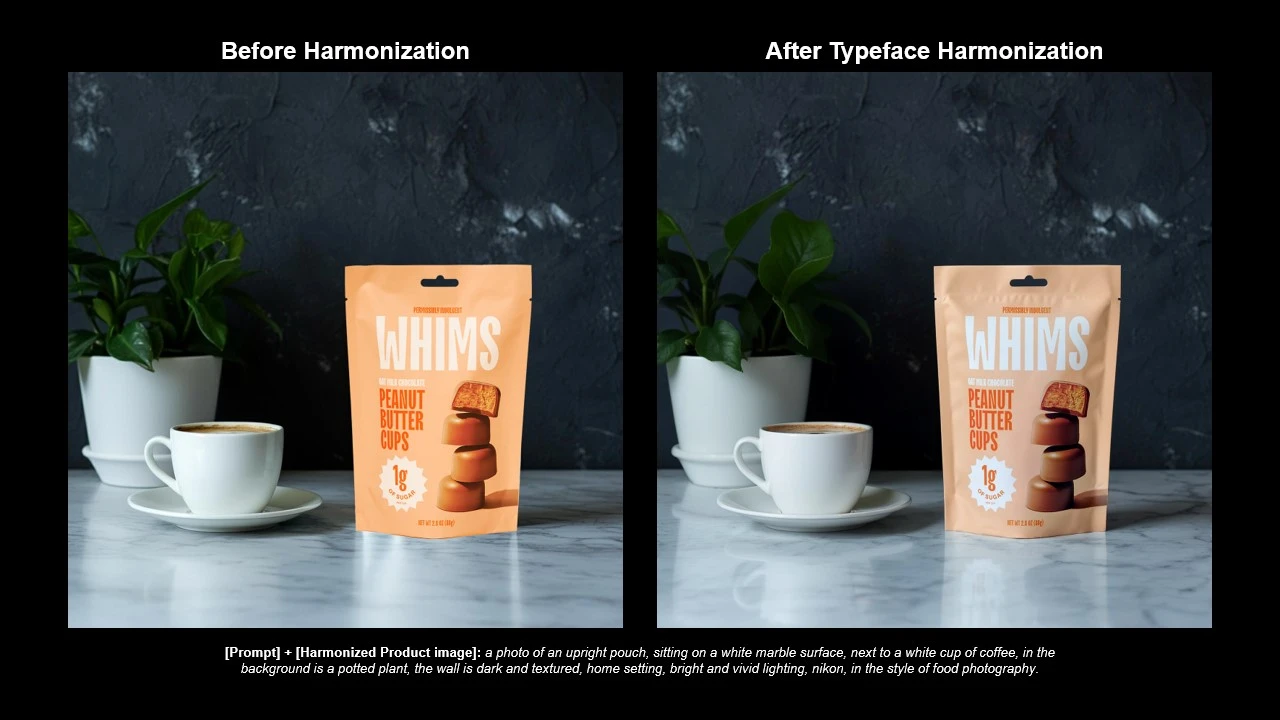
The fastest way to lose an audience is an image that looks pasted together. The product looks like it's floating on a background it clearly wasn't photographed in. One study found that consumers actually preferred AI-generated food images to real ones, until they could tell the difference. Once an image reads as AI-generated, its appeal drops.
This is where Image Agent does its most important work. Flux-based blending matches textures, lighting, and shadow to place your product in the scene naturally, and your packaging, labels, and finish details stay accurate in every generation
5. Create market-specific food images
Expanding into new markets means imagery that respects local preferences and dining traditions. AI makes culturally authentic food photography fast to produce.
One global beverage brand used Typeface to generate images of their product paired with local cuisines across target markets, showing how the drink complements any meal. You can customize a scene the same way by adding geo-culturally significant elements.
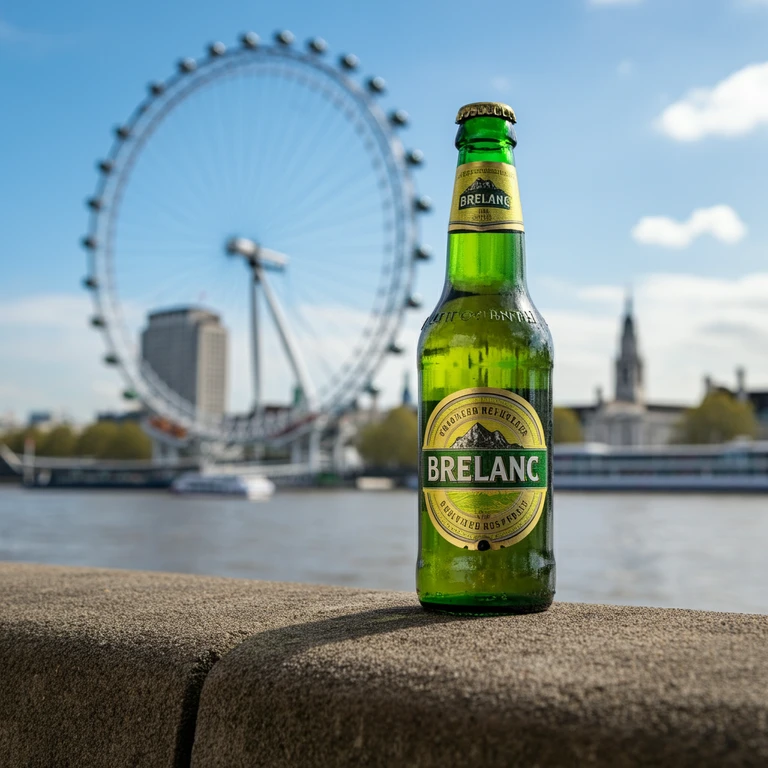
Typeface agents also adapt pre-approved designs across markets, segments, and channels without manual rework or resizing. Import approved assets like images, text, translations, and the agent generates variations, which speeds up approvals and keeps everything consistent.
6. Enhance image quality with AI editing
Editing food images for lighting and color balance used to take hours. With AI it takes minutes. A good description gets you most of the way; Ask Agent handles the rest through conversation. Add simple requests like brighten the highlights, warm the tone, remove the crumb on the left, and the Design Editor covers it all, including crop, resize, logo placement, and retouching, when you need pixel-level control.
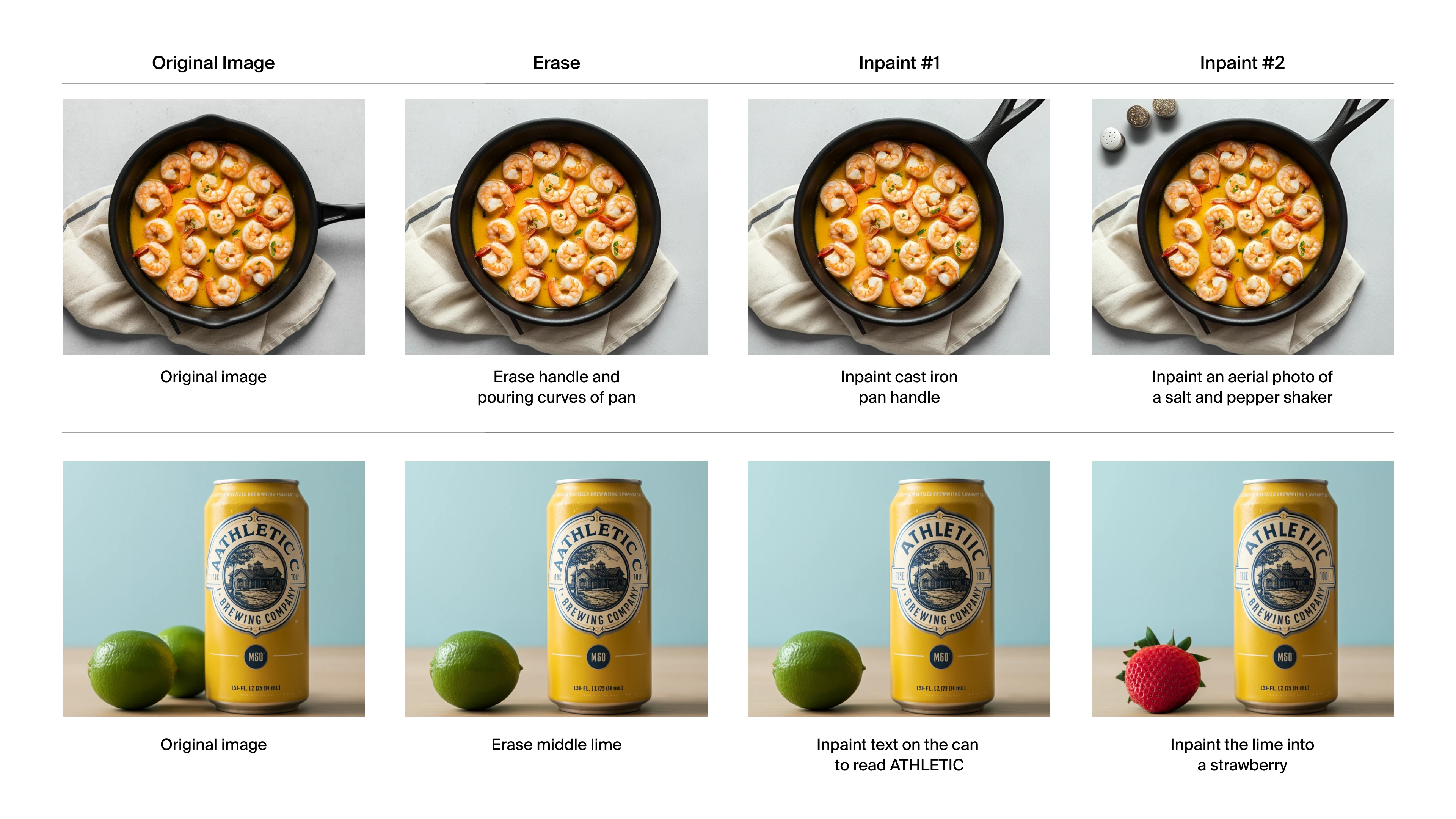
Full walkthrough in our guide to editing AI-generated photos on Typeface.
Get started with AI food photography
The teams getting the most out of AI food photography are the ones who did the groundwork: documented brand guidelines, trained the AI on their visual identity, and built a repeatable process for adapting one strong image across audiences and markets.
If you haven't brought AI into your F&B brand's workflow yet, get a demo of Typeface.
Related articles
April 21, 2026
More than 50% of marketers use AI to create images. But most are stuck in endless trial-and-error cycles, tweaking prompts and hoping for something usable. Sound familiar? More often than not, the pro
August 27, 2026
Nothing drives engagement and conversions in advertising like a good product shot. According to a report by Etsy, image quality is the single biggest factor in purchase decisions, with 90% of shoppers

February 27, 2026
Most marketing teams face a common challenge: create hundreds of on-brand visuals every month without hiring more designers or blowing the budget on photoshoots. This is not without reason, of course.