August 25, 2026
How to Use AI Image Generators to Create Studio-Quality Brand Photos at Scale

Akshita Sharma
Senior Content Marketing Associate

AI summary
Learn how an AI image generator can produce stunning, studio-quality brand photos. This blog gives you a quick how-to guide to make brand photography easier with AI.
The quality of your visual content directly affects sales. 85% of shoppers say product photos are a deciding factor in what they buy.
The problem is volume. Enterprises have to hold a consistent visual standard while feeding a constant appetite for fresh content across global markets, campaigns, and channels. Whether you're building a Meta shopping ad, localizing assets by region, or running a multi-channel email campaign, traditional photography timelines become a genuine constraint on growth.
AI image generation is how leading teams get both quality and speed. Typeface's Image Agent lets you create brand photos from your own approved assets or from a curated gallery of reference images; idea to finished design in minutes.
What is an AI image generator?
AI image generators use machine learning models to create images from written descriptions. Unlike design tools that manipulate existing images, these systems visualize concepts from natural language, such as turning "sunset over Manhattan skyline" into detailed, realistic imagery. They're trained on large datasets of image-text pairs, which is how they learn to match output to prompt.
The catch is the prompt itself. Marketing teams shouldn't have to master 600-character prompts stuffed with modifiers like "volumetric lighting" or "hyper-realistic rendering" to get professional results. But as agentic AI gets more advanced, conversational chats such as the one in Typeface, handle that translation.
Describe what you want in plain English, and it understands the technical specifications needed for a premium output. If you'd rather start from proven examples, we've collected 50+ AI image prompts for marketing creatives.
How to create brand photos with AI image generator
Step 1. Describe the shot, or show it
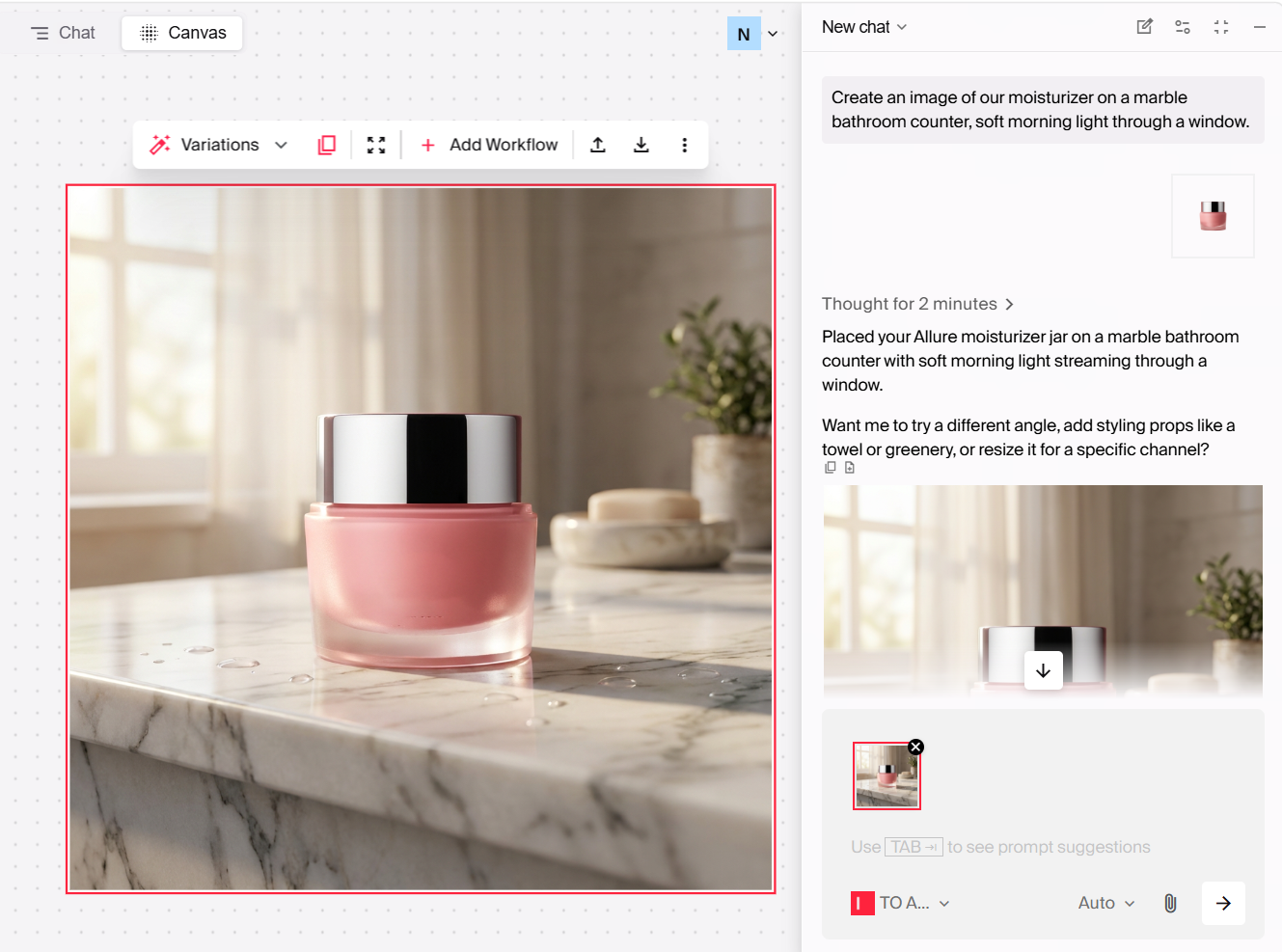
Open Typeface chat and describe the scene you want in plain language. For example, "our moisturizer on a marble bathroom counter, soft morning light through a window." No prompt engineering or technical modifiers required at this stage. Image Agent generates campaign-ready images from the description. The chat will even share ideas if you want to further improve the shot.
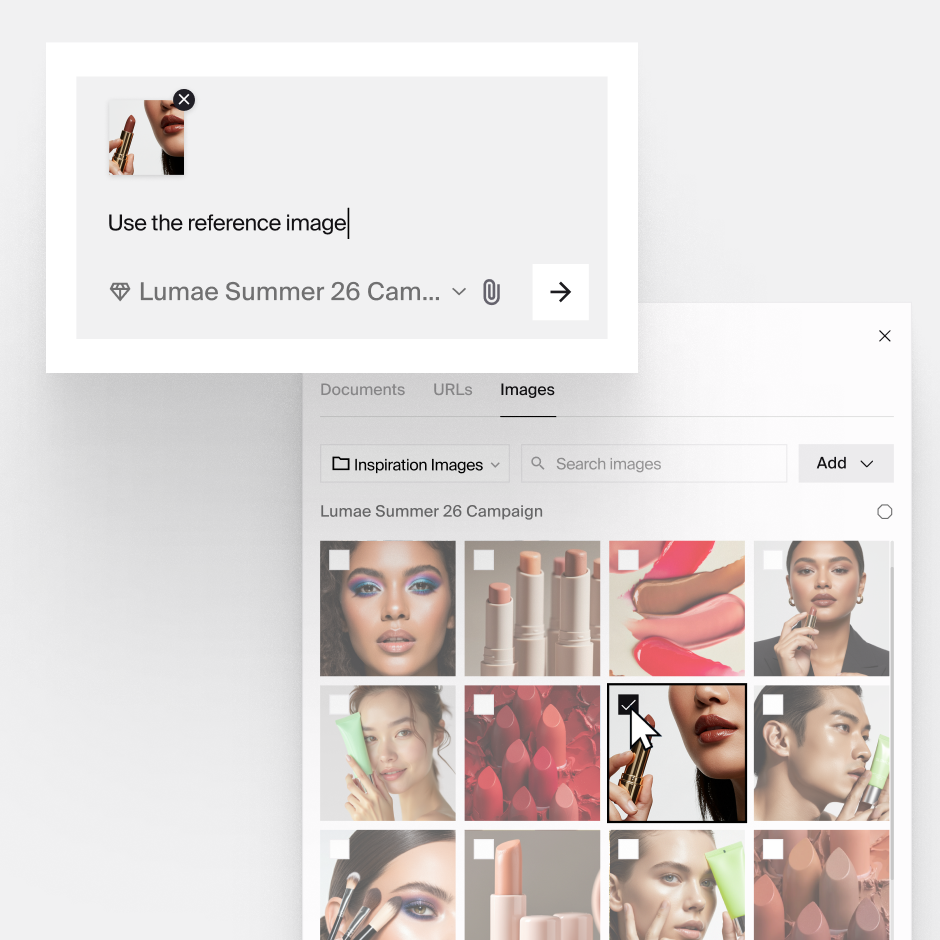
If you'd rather show than tell, drop in a reference image instead. Image Agent matches its look, including lighting, palette, composition, and builds your product shot in that style.
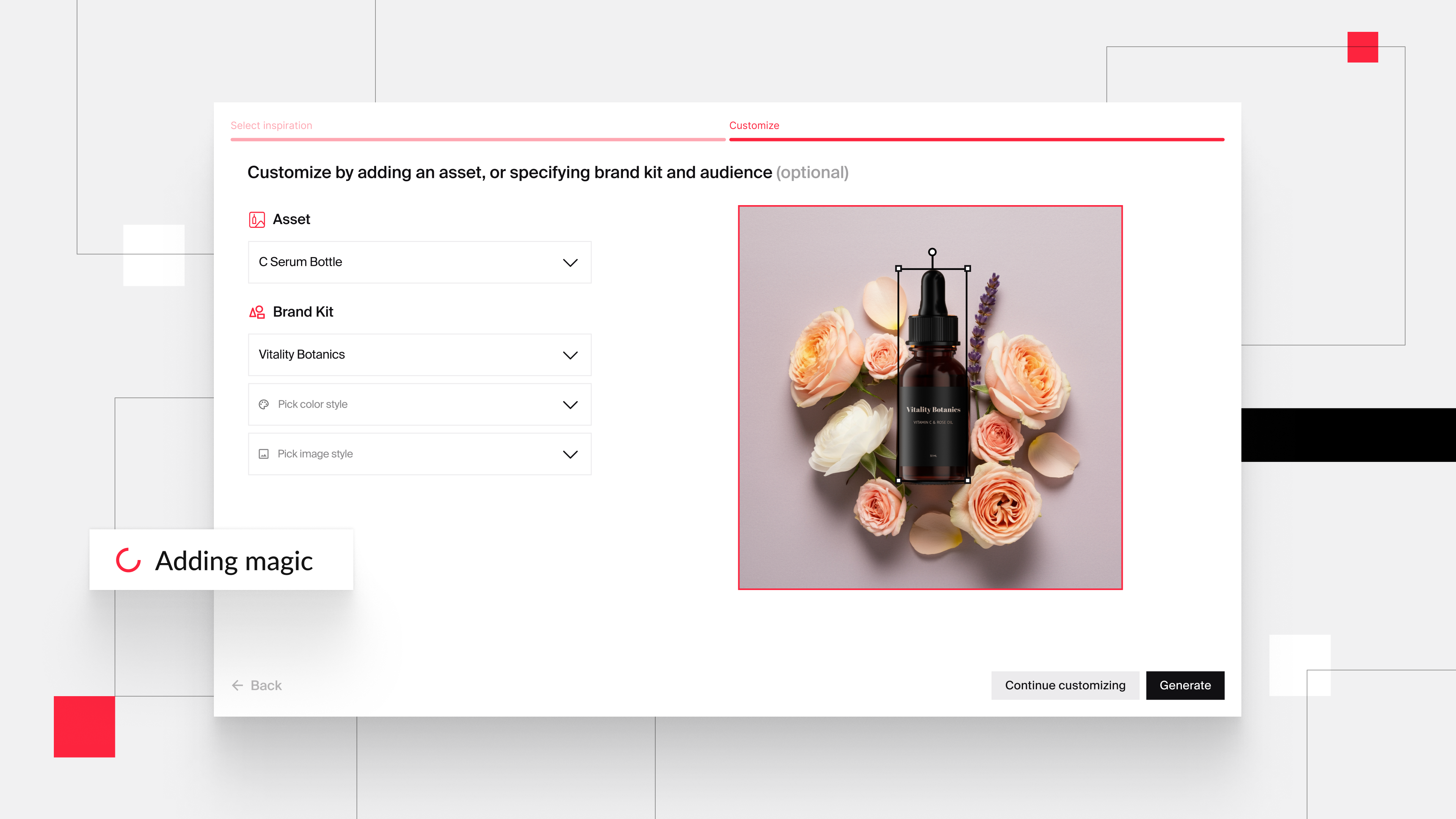
Step 2. Bring in your product
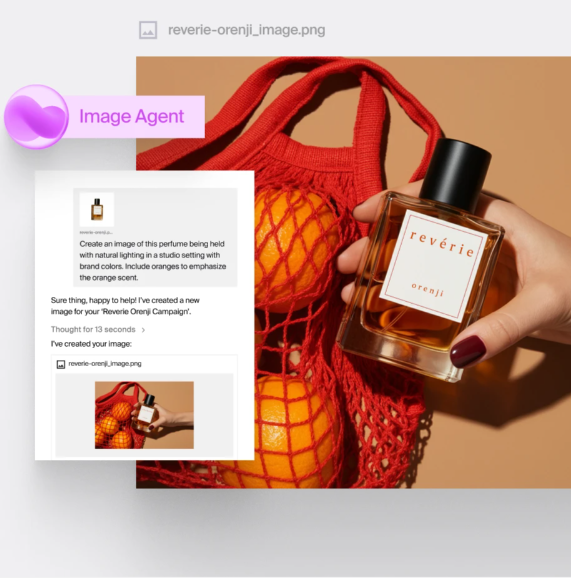
Upload your product shot and Image Agent places it in the scene. This is the step where most AI tools fumble. The product ends up looking pasted onto the background rather than photographed in it.
Image Agent uses Flux-based blending to handle the placement, matching textures, lighting, and shadows, so the product genuinely sits in the environment. That's the difference between an image you can ship and one a customer will squint at.
Step 3. Ground it in your brand
Your brand has a specific DNA; its colors, tones, styles. Generated images need to inherit it rather than approximate it.
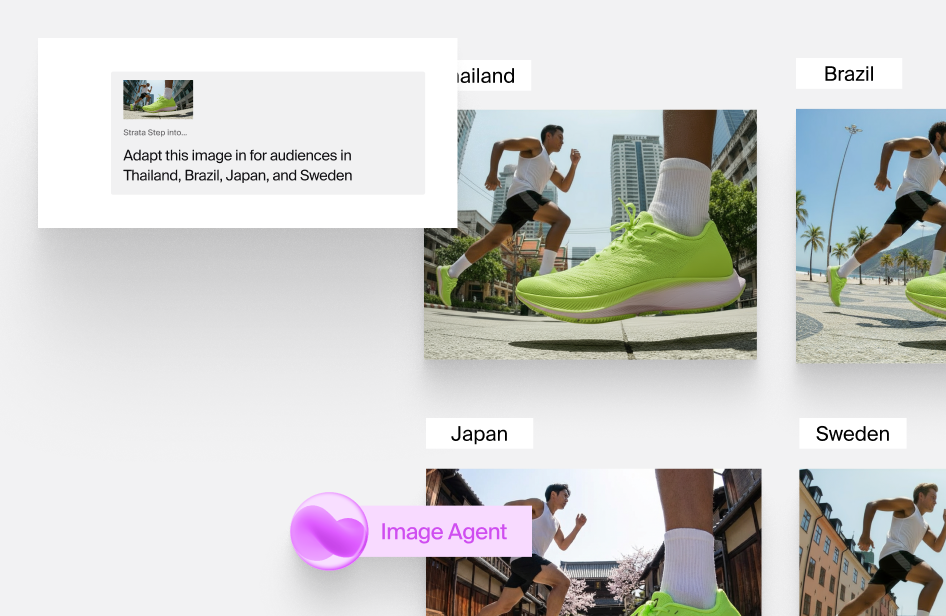
Arc Graph holds your brand guidelines, palette, logos, and approved assets, and Image Agent works from them. You can also steer within the conversation: ask for a warmer palette, a different season, a regional variation, and it adjusts while staying inside brand.
Step 4. Refine and finish
Refinement happens in the conversation. Ask Agent takes chat-based edits, like change the lighting, swap the background, or move the product, so you're iterating by describing what's wrong rather than hunting for the right tool.
When you need pixel-level control, the Design Editor handles crop, resize, logo placement, and retouching.
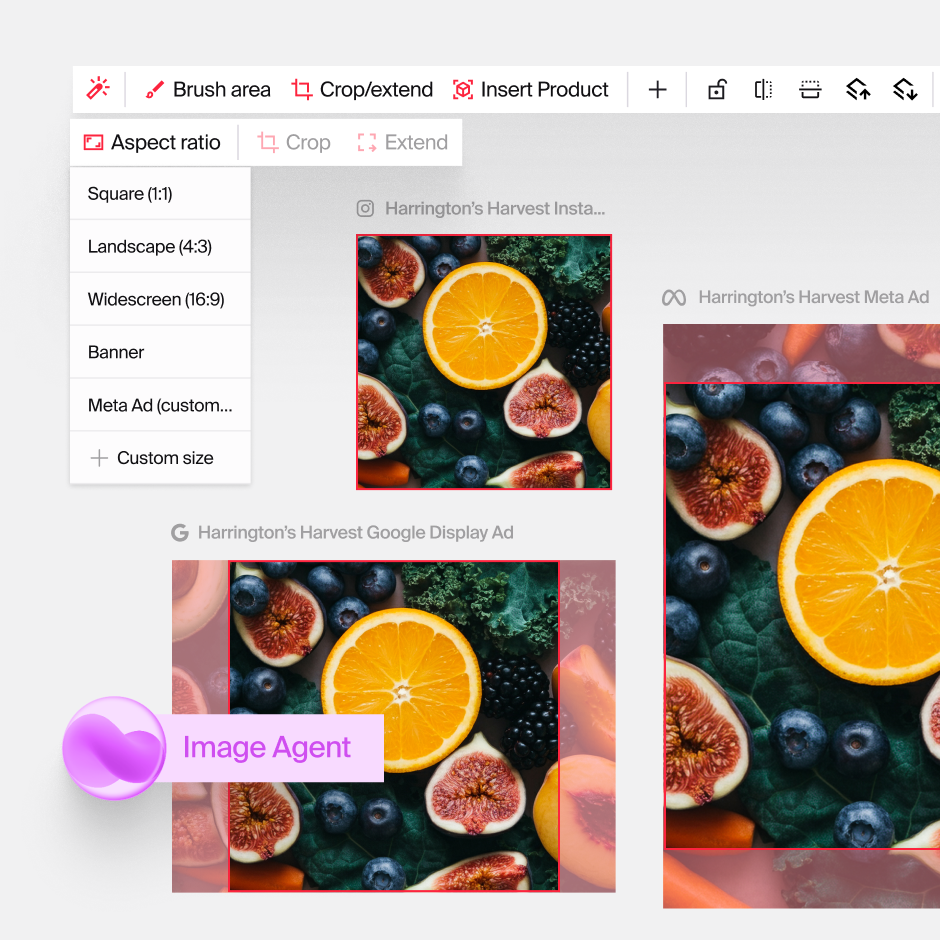
From there you can resize and reformat for specific platforms and markets with a prompt, export at any resolution, and publish directly to HubSpot, Adobe Experience Manager, Aprimo, or Dropbox.
Once you have a process that works, the same workflow scales into full campaigns — see our AI product photography ideas for ad campaigns for six ways teams apply it across seasonal, social, and multi-market creative.
Frequently asked questions
Can AI help with creative brainstorming?
Rapid visualization changes how ideation works. Teams can explore several directions before committing budget to production, and pitch campaign concepts with actual visuals instead of written descriptions, which makes agency and stakeholder reviews far more productive.
Can I use AI-generated images for my brand?
Yes, and many brands already do — while paying attention to responsible AI use. The consensus among leading brands is that AI should enhance creative work rather than replace it, with care taken around data privacy, copyright, and avoiding bias in outputs. In practice that means AI handles ideation and consistency, and human creativity stays at the center.
How does AI help you create more content without hiring more people?
AI lets you scale visual production to match multi-channel demand. Teams generate variations of a product shot for different markets, seasons, and platforms while holding quality consistent across thousands of assets, particularly valuable for global brands running multiple product lines.
Who in the organization can create images with AI Image Agent?
Image Agent puts high-quality visual creation in more hands. Regional teams localize campaign assets without waiting on central creative, product managers generate visuals for concept testing, and content teams produce social and digital imagery on demand with brand guardrails built in, so velocity doesn't cost you consistency.
If you want to see it for yourself, get a demo today.
Related articles
April 21, 2026
More than 50% of marketers use AI to create images. But most are stuck in endless trial-and-error cycles, tweaking prompts and hoping for something usable. Sound familiar? More often than not, the pro

November 26, 2024
The holiday season is just round the corner and winter holidays, or an end-of-the-year event, is the #1 holiday where most marketing teams invest heavily according to a recent HubSpot survey. Creating
October 9, 2024
As AI becomes more commonplace, marketers and creatives have looked to this technology for efficient ideation and on-brand content creation. However, many find themselves struggling with prompt engine