September 23, 2026
How to Integrate Legacy Systems with Next-Gen Enterprise AI Applications

Neelam Goswami
Senior Content Marketing Associate

AI summary
Learn how to connect legacy systems to enterprise AI without disrupting operations. Explore integration approaches, data governance strategies, and a 5-step framework to scale AI adoption successfully.
Your team is excited to use AI. Leadership has approved a budget. And in a vendor demo, everything looked seamless.
But once you are in your actual environment, the real question arises: How do we get AI to work with the systems we already have? Your CRM has been running for over a decade, the ERP has been set up by three different consultants, and there’s the siloed data warehouse no one fully understands anymore.
A Cognizant research shows that nearly 85% of senior executives at global organizations are worried that their existing technology estate will not be able to support AI integration.
That's the true challenge of enterprise AI adoption. And it's something most integration guides fail to address.
We'll walk you through a practical framework for connecting legacy systems to next-gen enterprise AI applications, without blowing up your operations or burning out your teams.
Why do legacy systems slow down enterprise AI adoption?
Legacy systems aren't the enemy. They hold years of business data, process logic, and institutional knowledge your organization runs on. The problem is that most of them weren't designed to talk to modern AI tools.
That gap is where AI implementation strategies usually fall apart.
What makes legacy systems hard to connect to generic AI tools?
1. The context gap
Generic AI relies on its training data, not your business DNA. It doesn’t understand your brand voice, customer history, or regional compliance. Without this internal context, every output requires manual correction, quickly negating any promised efficiency gains.
2. Data incompatibility
AI tools and legacy systems often speak different languages. Whether it's a unique CRM schema or assets in a DAM that require preprocessing, your "rich data" often looks like "noise" to an AI that wasn't built for your specific environment.
3. API mismatch
Modern AI thrives on clean, predictable REST APIs, GraphQL, gRPC, webhooks, or event-driven architectures. Legacy systems often rely on outdated SOAP endpoints or proprietary connectors, or lack external APIs entirely. This mismatch necessitates custom integration work that is rarely accounted for in initial timelines.
None of these issues is insurmountable. But they do require a plan. Jumping straight to AI implementation without addressing these roadblocks is one of the most common reasons enterprise AI pilots stall or fail to scale.
Here are some scenarios you might want to consider when deciding how to connect your legacy systems with AI tools effectively.
Approach | 1. The Real-Time Translator | 2. The Data Pipeline | 3. The Risky Shortcut |
The Analogy | A live, professional interpreter sitting between two people who speak different languages. Communication is instant and accurate. | A newspaper delivery service. It gathers all the important news from the day (the data), organizes it, and delivers it on a schedule for you to read at your leisure. | Forcing one person to hastily learn a few phrases of the other's language. It might work for simple questions, but misunderstandings are likely and complex conversations are impossible. |
What It Is | An intermediary service (like an API Gateway or a custom Adapter) that translates modern REST/JSON requests into legacy SOAP/XML on the fly. | A system that copies data in batches from the legacy system into a modern data store (like a data lake or warehouse) using an ETL (Extract, Transform, Load) process. | Making your new AI platform communicate directly with the old SOAP endpoint. |
Best For | ✅ Live, interactive tasks: AI agents needing real-time information to answer a user query, update a record, or execute a transaction. | ✅ AI Model Training & Analytics: Giving your data scientists a complete, clean, and performant dataset to build and train machine learning models without slowing down the legacy system. | ⚠️ Quick Prototypes ONLY: A temporary, internal proof-of-concept where the risks are understood and accepted. Never for production. |
The Key Trade-Off | Effort vs. Governance. A simple adapter is quick to build, but a full API Gateway requires more setup in exchange for robust security, scalability, and central control. | Freshness vs. Performance. Your data is never "live," but your AI platform gets lightning-fast access to it without ever putting a strain on the operational legacy system. | Speed vs. Stability. You might get a connection working fast, but it's brittle, insecure, and creates significant technical debt. The first time the legacy API changes, your connection will break. |
What's the real cost of delaying AI integration?
Delaying integration creates a compounding tax across your entire organization.
Marketing: Results in inconsistent branding, sluggish content cycles, and surface-level personalization due to fragmented data.
IT: Increases technical debt and forces teams into a cycle of manual, one-off workarounds.
Leadership: Produces an AI strategy that looks great on a slide deck but fails to drive actual operational change.
Every quarter you spend manually bridging these gaps allows competitors to gain exponential ground.
Why "shadow AI" makes the integration problem worse
When official AI tools don't connect smoothly with real workflows, employees build workarounds. By using personal subscriptions or pasting sensitive data into public tools, they create Shadow AI, which can be a massive governance and compliance liability.
The solution isn't tighter restriction, but seamless integration. When AI actually fits the tools your team uses daily, the risky workaround becomes unnecessary.
What is a good framework for successful AI integration?
Organizations that make real progress on enterprise AI integration follow a recognizable pattern. They start with clarity about the specific problem they're trying to solve. A solid framework and an understanding of why each step matters is critical.
Here’s a five-step AI integration framework that usually works.
Step1: Define the specific workflow you want to improve
Before you evaluate any tool or write a line of integration code, write down the exact workflow you're trying to change.
Not "use AI for marketing" but "reduce email campaign production from five days to two" or "generate on-brand product page variants for 400 SKUs without adding headcount."
Your use case defines your integration requirements, your data requirements, and your success criteria. Everything else flows from this.
Step 2: Audit the data your AI needs and where it actually lives
Map every data source that feeds your target workflow. For content and campaign use cases, this usually means brand guidelines, audience data, campaign performance history, asset libraries, and your CMS or marketing automation platform.
For each data source, note the format, whether it has an accessible API, and how clean and consistent the data is. These findings drive your integration approach and surface the gaps you need to close before launch.
We asked Ross Guthrie, Applied AI Strategist and Customer Success Manager at Typeface — what’s the biggest “expectation vs reality” moment in AI integration with legacy systems that customers face?
Ross says, “The expectation usually is ‘AI will understand our data’ when in reality not even their own teams fully understand the data. The first step is to understand your own data, why it's important, what purpose it serves and structure that context for the AI System that relies on it.”
Step 3: Choose your integration approach based on what your stack supports
Match your method to your environment, not to the most technically impressive option. If your systems have modern APIs, direct integration is usually fastest.
If you're connecting multiple systems with different formats, a middleware layer makes more sense.
If your data is fragmented across many platforms, centralizing it first will save real pain downstream.
The right approach is the one your team can implement, maintain, and extend as the project scales.
Step 4: Run a contained pilot before you scale
Pick one team, one use case and one integration point.
Connect the AI to a single source of truth — your Brand Kit, a CRM segment, your DAM — and run the workflow end-to-end.
Measure results against your baseline. A successful pilot gives you real data to justify the next phase and gives skeptical stakeholders something concrete to evaluate.
Skip the pilot and you're scaling assumptions instead of real results.
Step 5: Build governance in from the start, not as an afterthought
Before launch, define how the AI will access data, who can approve outputs, which compliance rules apply, and how audit trails will work.
Governance designed in from day one is what makes enterprise AI scalable. Teams trust tools they can see and control. IT supports platforms they can manage.
Retrofitting governance after a rollout is one of the most common reasons enterprise AI projects lose momentum in the middle phases.
According to Shuruthe Raju, Governance, Risk and Compliance Analyst at Typeface, “Taking the time to consider what the LLM needs to ingest, or alternatively what it does NOT need to ingest, is valuable. The best approach is starting with the lowest risk tier and moving forward from there.
An LLM pulling information from years of uncrated legacy documents is also unlikely to produce outputs that are aligned with a brands current capabilities, commitments or direction. Outputs could contradict the current landscape and, more importantly, generate responses that miss marking, compliance, and regulatory requirements.”
That is why pre-ingest data discovery and inventory is needed over post-ingestion remediation. She suggests considering the retrieval of information by the LLM as the data processing layer in GDPR. Adding output filtering as a backstop further helps AI scan for PII before it's returned to users.
How do you prioritize which legacy systems to integrate first?
Score each system across four dimensions:
Data volume (how much useful data does it hold?)
Business impact (how much does improving this workflow matter?)
Integration complexity (how hard will it be to connect?)
Team readiness (is the team that owns this system bought in and well-resourced?)
Start where business impact is high and complexity is manageable. Early wins come from use cases that don’t require deep system changes. Common starting points include:
Drafting on‑brand content for emails, ads, and landing pages, using our CMS and DAM
Localizing campaigns for regions while keeping central brand rules intact
Generating content variants for segments based on CRM or MAP data
Summarizing analytics or performance data into simple narratives
Platforms like Typeface can sit between your channels and your content sources. The AI reads your brand guidelines and context from the Arc Graph, then creates content your teams can refine, approve and publish with the tools they already use.
What data do enterprise AI applications actually need
Not all data is equally useful for AI. For most marketing and content workflows, enterprise AI applications need:
Approved brand guidelines, tone, and visual rules
Existing content examples that show how your brand sounds
Product information
Customer segments and campaign history
AI integration approaches: Matching the method to your stack
The right approach to connect a legacy system to an AI platform depends on what your systems support, how your data is structured, and how much disruption you can absorb.
Here are the main options, and when each one makes sense.
Your Environment / Situation | Recommended Approach | Rationale: "Why This Makes Sense" | Team & Maintenance Considerations |
Clean & Modern: Your source systems already have modern, well-documented APIs (e.g., REST, gRPC). | Direct API Integration | This is the fastest and most efficient path. The communication standards are already aligned, so you can connect your AI platform directly without a middleman. | Your team needs solid skills in API consumption and security (handling keys, tokens, etc.). Maintenance is low but requires monitoring for API version changes. |
Mixed & Inconsistent: You're connecting multiple systems with different formats (e.g., one speaks SOAP, another REST, a third uses CSV files). | Middleware Layer (API Gateway or custom Adapter) | A central translation layer makes sense. It normalizes the chaos into a single, consistent API for your AI platform, simplifying development and preventing spaghetti code. | This approach centralizes complexity. Your team needs skills in the chosen middleware, but it simplifies maintenance, as legacy system changes are handled in one place. |
Fragmented & Siloed: Your data is scattered across many different databases, applications, and platforms with no single source of truth. | Data Centralization First (ETL/ELT into a Warehouse or Lake) | Trying to query a dozen systems in real-time is a recipe for failure. Centralizing the data first creates a unified, clean, and performant source for your AI, saving immense pain downstream. | This requires a data engineering skillset (pipelines, data modeling). Once set up, it dramatically simplifies AI development and is highly scalable for analytics and model training. |
Universal Principle | The Pragmatic Choice | The "right" approach is always the one your team can confidently implement, maintain, and extend as the project scales. A "perfect" but unmaintainable solution is a failure in waiting. | Before starting, honestly assess your team's current skills, your budget for tools, and your timeline. Choose the path that offers the most stability and lowest long-term operational burden. |
What is MCP and why does it matter for enterprise AI integration?
Model Context Protocol (MCP) is an open standard that gives AI systems a consistent way to connect to external data sources and tools. Think of it as USB-C for AI integrations: instead of a different connector for every device, MCP provides a single interface that any compatible AI tool can use to talk to any compatible data source.
Before MCP, connecting an AI tool to a new data source meant custom engineering work every time. A new CRM connection required custom code. A different DAM required different custom code.
Multiply that across an enterprise stack with dozens of systems, and integration becomes the entire project.
MCP reduces this by establishing a common protocol, so when your AI platform and your data source both support it, the connection is standardized rather than bespoke.
For example, Typeface MCP lets you connect any MCP-compatible tool to the platform to generate context-rich assets, requiring no custom APIs, integrations or code.
For IT teams overseeing enterprise AI adoption, this means fewer one-off integrations to build, maintain, and debug. For marketing teams, it means AI agents that show up to a workflow already knowing what context they need rather than waiting for a human to manually assemble that context every time a task runs.
What's the difference between API-based integration and middleware?
If your legacy system supports modern APIs, a direct API connection is usually your fastest path forward. Your AI tool calls the API, gets the data it needs, and you're connected. You'll need to handle authentication, rate limits, and data mapping but it's often simpler than the alternatives.
Typeface APIs allow you to integrate Typeface’s AI into your existing applications, for generating content, managing projects, assets and more. We also have an extensive list of out-of-the-box connectors/integrations designed to seamlessly connect third-party applications with Typeface, including Content Management Systems (CMS), Digital Asset Management systems (DAM), Customer Data Platforms (CDP), ads platforms and more.
Middleware, or iPaaS platforms, sits between your systems and acts as a translator. It's especially useful when you're trying to connect multiple legacy systems that don't naturally talk to each other. The tradeoff is additional infrastructure to manage and a longer initial setup time.
When does a data lake or warehouse approach make sense?
If your data is spread across a dozen systems with inconsistent formats, connecting AI tools directly to each one is a fragile strategy.
Centralizing that data first through a data lake or modern warehouse like Snowflake or BigQuery gives your AI a single, clean source to work from. This is a bigger upfront investment, but it pays off quickly when you're running multiple AI use cases across the organization.
Typeface offers an integrated solution with Google Cloud’s BigQuery, using which marketers can build a customer 360 view, tapping into first-party data from ads, sales, customers, and products. It also empowers them to create personalized content at scale, blending BigQuery’s detailed audience segments with Typeface’s brand-personalized Ai capabilities.
How to design a practical AI integration strategy?
Once you understand your patterns and priorities, you need a concrete AI integration strategy. This should include what data you’ll connect first, how you’ll measure success, and how you plan to expand.
How do you ensure data quality before AI implementation?
Before you connect any legacy system to an AI tool, audit the data that system holds. Look for three things:
Completeness (are key fields populated?)
Consistency (are the same things named the same way across records?)
Accuracy (is the data actually correct, or has it drifted over years of manual entry?).
Clean data is a prerequisite, not a nice-to-have. Skipping this initial check might result in your team hitting a wall six months into the AI implementation, stalling progress to correct these errors that should be avoidable in the first place.
Who needs to be involved in enterprise AI adoption?
At minimum, you need four groups at the table:
IT and engineering own the technical integration, system access, and security controls. They set the constraints the rest of the project must work within.
Marketing and content teams own the use-case definition. They know which workflows are slowest, which outputs need to improve, and what success actually looks like day-to-day.
Legal and compliance need to review data governance before you connect anything to an AI platform. This is especially true if your data includes customer PII or proprietary business information.
C-suite sponsors hold the roadmap accountable and clear the organizational blockers that individual teams can't remove on their own.
How to measure success for enterprise AI integration
Before you launch an integration, agree on what success looks like in specific, observable terms. Technical metrics tell you whether the integration is working:
Data sync accuracy
Error rates
Latency
Uptime
Business metrics tell you whether it's working for the right reasons:
Time saved per workflow
Content output volume
Campaign launch velocity
Brand consistency scores across channels
Build lightweight check-ins into the rollout, instead of waiting to measure in the end, so you can catch problems early and adjust before they compound.
Guthrie says, “A successful AI integration is one that can help build rich workflows that present simply. If done right, integrating AI with legacy data can speed up time to market, expand brand reach, and increase incremental performance of every piece of content.”
Governance, security, and compliance in AI integration
Without guardrails, AI projects either stall or create risk. With simple, clear governance, you can move faster and stay safe.
How to keep enterprise AI applications compliant with existing policies
You can start by mapping your current policies to AI use:
Which data can AI see, and which is off‑limits?
Who approves new use cases or integrations?
How are AI‑generated assets reviewed and stored?
Then build these rules into your workflows. For example, AI‑generated content might always pass through existing approval flows in your CMS, or you might restrict certain data fields when connecting CRM data.
Security controls that are critical for AI integration
At a minimum, you will want:
Strong access control and SSO for all enterprise AI applications
Encryption for data in transit and at rest
Clear separation between training data and production content
Vendor reviews that cover data handling and retention
This is where close partnership between CIOs, CISOs, and CMOs matters. Security isn’t just an IT concern when AI touches customer and brand data.
How Typeface approaches enterprise AI integration
Typeface was built not as a content generator bolted onto an enterprise environment but as an AI marketing orchestration platform designed from the ground up to integrate with the systems enterprises already run and to carry brand context as a core architectural element, not an afterthought.
Arc Fabric for building and deploying marketing agents at scale
Arc Fabric allows teams to build structured, reusable AI agents with built-in governance, tailored to their unique workflows involving a complex enterprise stack without creating new integration debt or shadow AI risk. Agents can integrate into existing infrastructure through MCPs, plus support for custom integrations to proprietary systems through its API layer.
Arc Agents — the specialized AI agents that run on the platform — push content directly to your marketing automation tools, CMS platforms, and ad networks. No manual uploads, no file transfers, no security gaps.
Each agent is built with deep channel-specific knowledge. There are dedicated agents for Email, Web, Ads, Video, Ideation, and Performance, along with Agent Studio for building custom agents tailored to your specific workflows. Every agent is capable of grounding outputs in your actual brand context rather than relying on a generic approximation.
How Typeface MCP support changes the integration equation
Typeface's support for the Model Context Protocol means Arc Agents can access your enterprise data sources through a standardized interface, without requiring custom integration code for every new connection. Where your stack supports MCP, agents can pull the context they need (audience segments, campaign assets, performance data, compliance rules) from the right source at the right moment, automatically.
In practice, this looks like a demand generation team asking Typeface to create personalized LinkedIn ads for three distinct buyer personas. The Ad Agent pulls audience insights from Salesforce, applies brand guidelines from the Arc Graph, generates channel-specific variations with automatic format resizing, and pushes finished assets directly to the ad platform. No manual copy-pasting between tools or long brand review cycles.
Want to know how the Typeface Orchestration Engine could transform your workflows? Get a demo or contact our team to understand what this could look like for your organization.
Frequently asked questions
How do we start integrating enterprise AI applications without disrupting current operations?
Running a contained pilot with one team (or even one use case) first dramatically reduces your disruption risk. You get real learning without exposing your entire operation to the unknown.
What's the biggest mistake companies make in enterprise AI adoption?
Trying to solve a technology problem before defining the business problem. Companies that skip use-case mapping often spend months on integration work that doesn't actually change any outcome that matters.
Start with the specific workflow you want to improve — reduce content turnaround time, improve personalization at scale, speed up reporting — and then work backwards to identify the integration required to get there.
How do we handle data security and compliance when connecting legacy systems to AI tools?
This needs to be part of your AI strategy framework from day one and not a review step at the end. Define which data the AI can access, ensure PII is handled in line with your regulatory environment (GDPR, CCPA, or industry-specific regulations), and confirm that your AI vendor's data handling policies align with your own.
Get legal and compliance in the room early. It's much easier to design governance in than to retrofit it later.
How do we get IT and marketing teams aligned on AI integration priorities?
The friction usually comes from different definitions of success. IT prioritizes stability and security. Marketing prioritizes speed and output.
A shared use-case roadmap, one that both teams contribute to, helps.
So does identifying a specific pilot that gives both teams a visible, low-risk win early in the process. When IT sees that a controlled integration can be done without destabilizing core systems, and marketing sees that moving carefully doesn't mean moving slowly, the dynamic shifts.
Related articles
March 4, 2026
Typeface has crossed a new frontier, evolving into the next generation of the Typeface Orchestration Engine — closing marketing's open loop by bringing brand context, AI agents, and real campaign perf
January 27, 2026
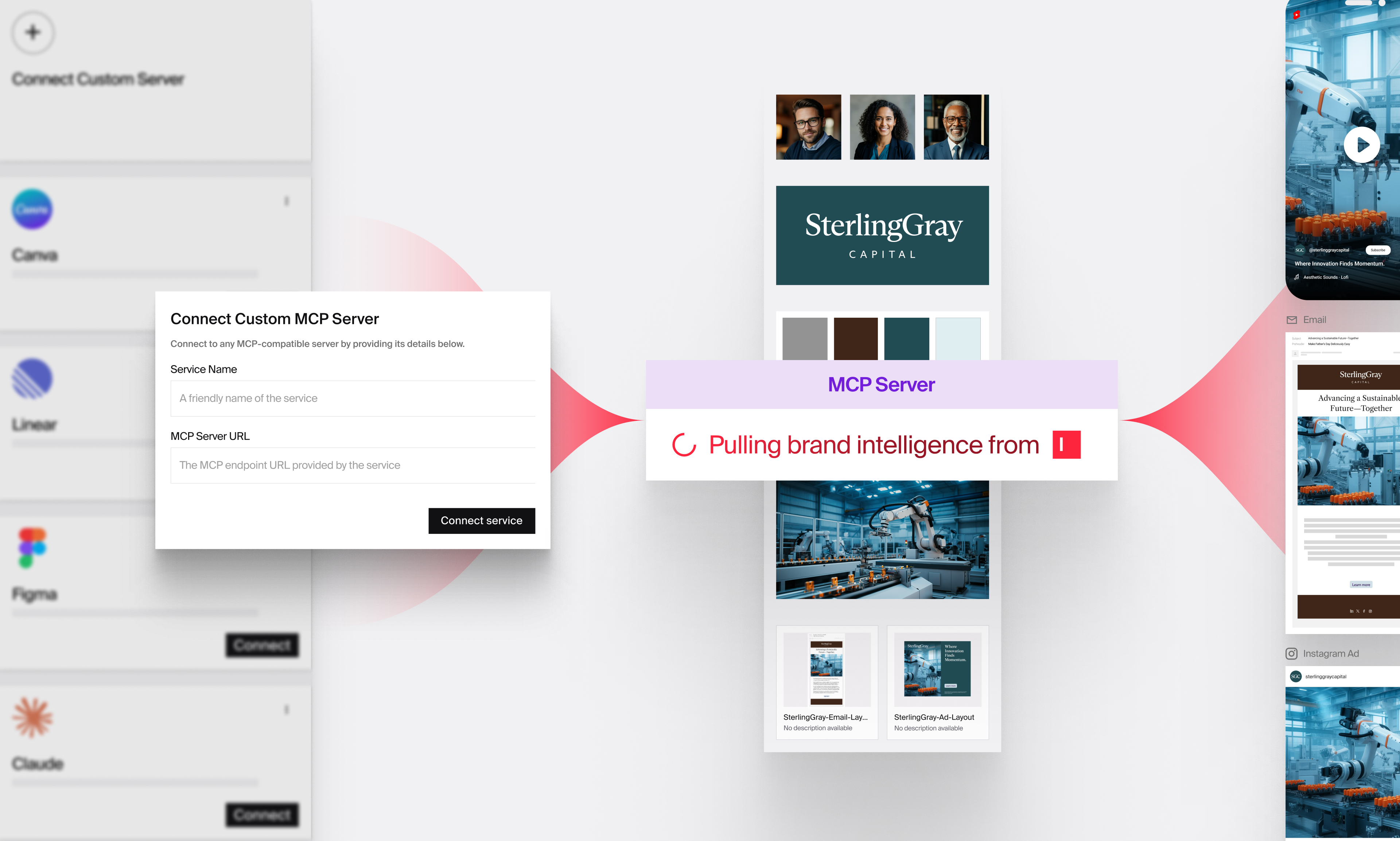
Modern marketing teams work across dozens of tools, bouncing between briefs, brand guidelines, asset libraries, audience docs, chat threads, and a plethora of desktop AI assistants and developer tools

December 11, 2025
You've probably seen it happen: an AI pilot that shows real promise, gets everyone excited, then somehow never makes it past the initial team. We've worked with dozens of enterprise marketing teams th