
AI summary
Create multi-scene videos without source footage, collaborate with your team in real-time, and streamline webpage creation workflows.
Welcome back to Feature Focus! We've added generative sizzle video creation, team collaboration features, and saved webpage modules to help you scale content production faster.
Let’s dive in →
Create sizzle videos from concept to completion
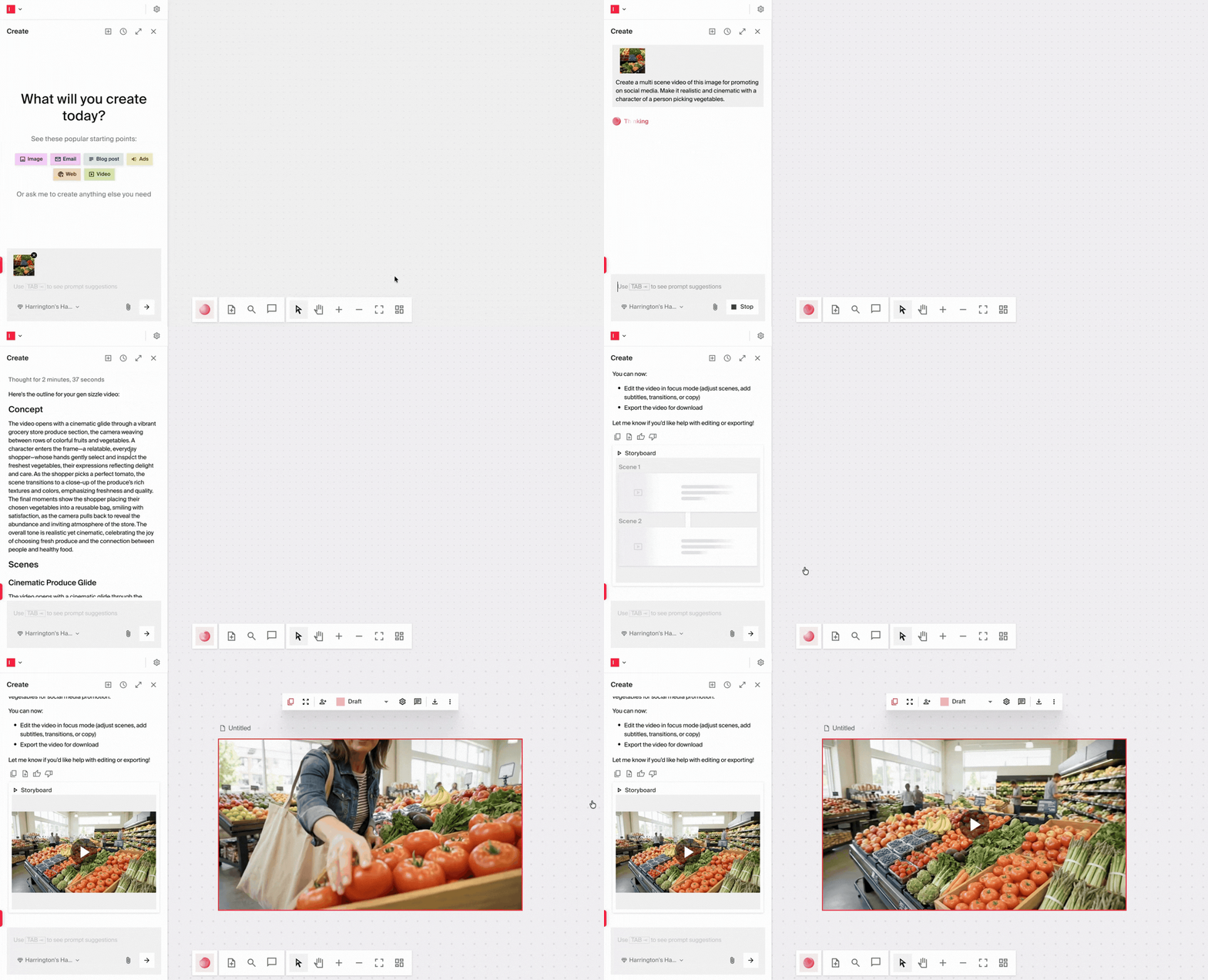
Creating multi-scene videos typically requires extensive source footage, editing time, and production resources. Now, you can generate complete sizzle videos directly from a storyboard concept and brand assets—no source footage needed.
Generative sizzle videos let you create product launch videos, event recaps, brand stories, or campaign videos in minutes instead of days. Simply provide your concept, upload a few brand assets, and Typeface generates a multi-scene video ready for distribution.
Turn a 3-slide storyboard into a 30-second product launch video. Generate social-ready brand stories from campaign briefs. Request access to start creating.
Improve collaboration for content creation
Collaboration is easier with new visibility and feedback features that help teams learn from each other and streamline approvals.
View team members' chat threads: See the prompts and approaches your teammates used to create content in Arc Spaces (read-only access). Team admins can also use this as an audit trail for content creation activity.
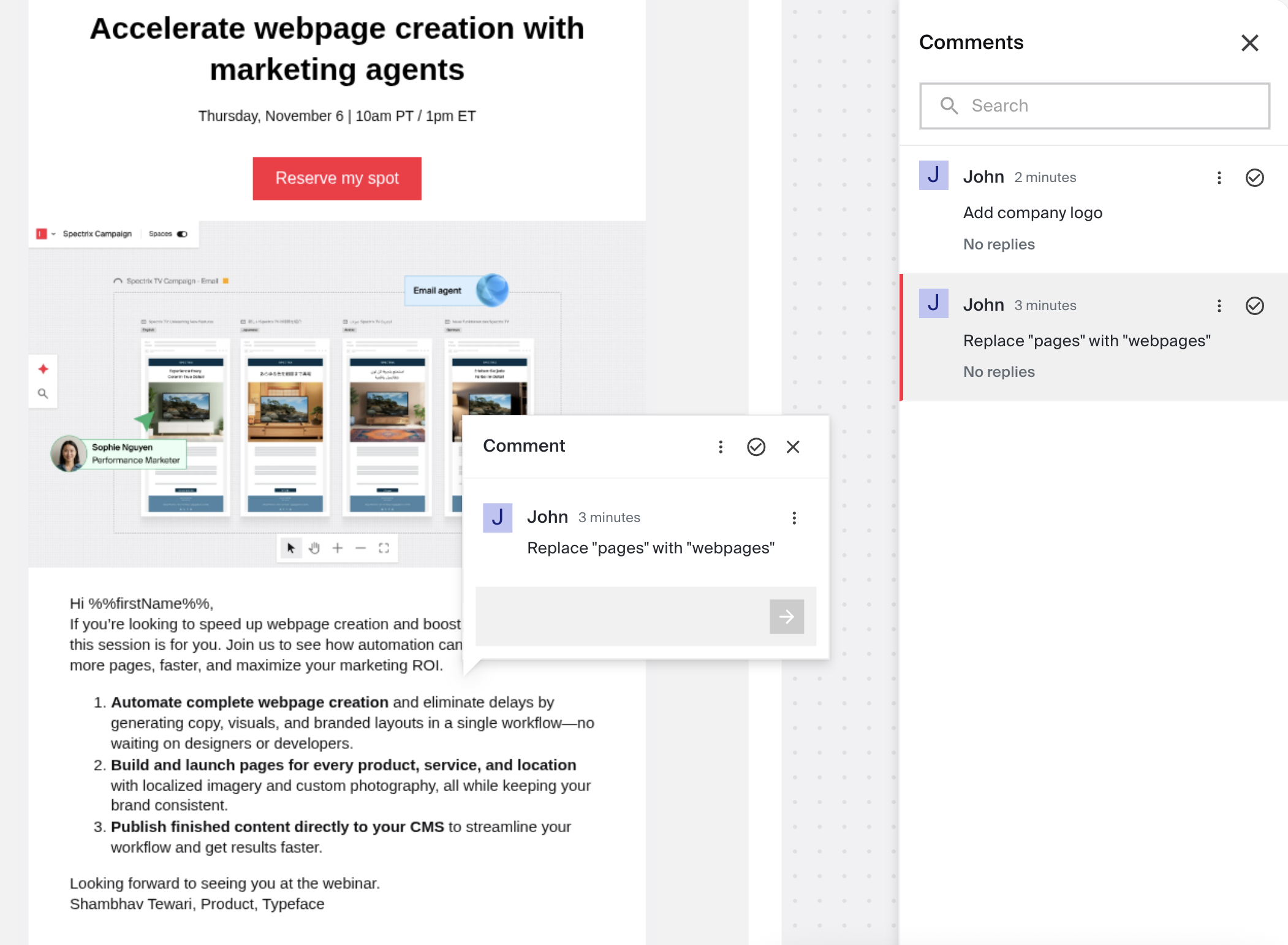
Comment directly on content: Leave feedback on any content in Arc Spaces. No more screenshot markups or long email threads—just click, comment, and collaborate.
These features increase transparency across your team, enable knowledge sharing, and reduce approval cycle time.
Streamline your web creation workflow
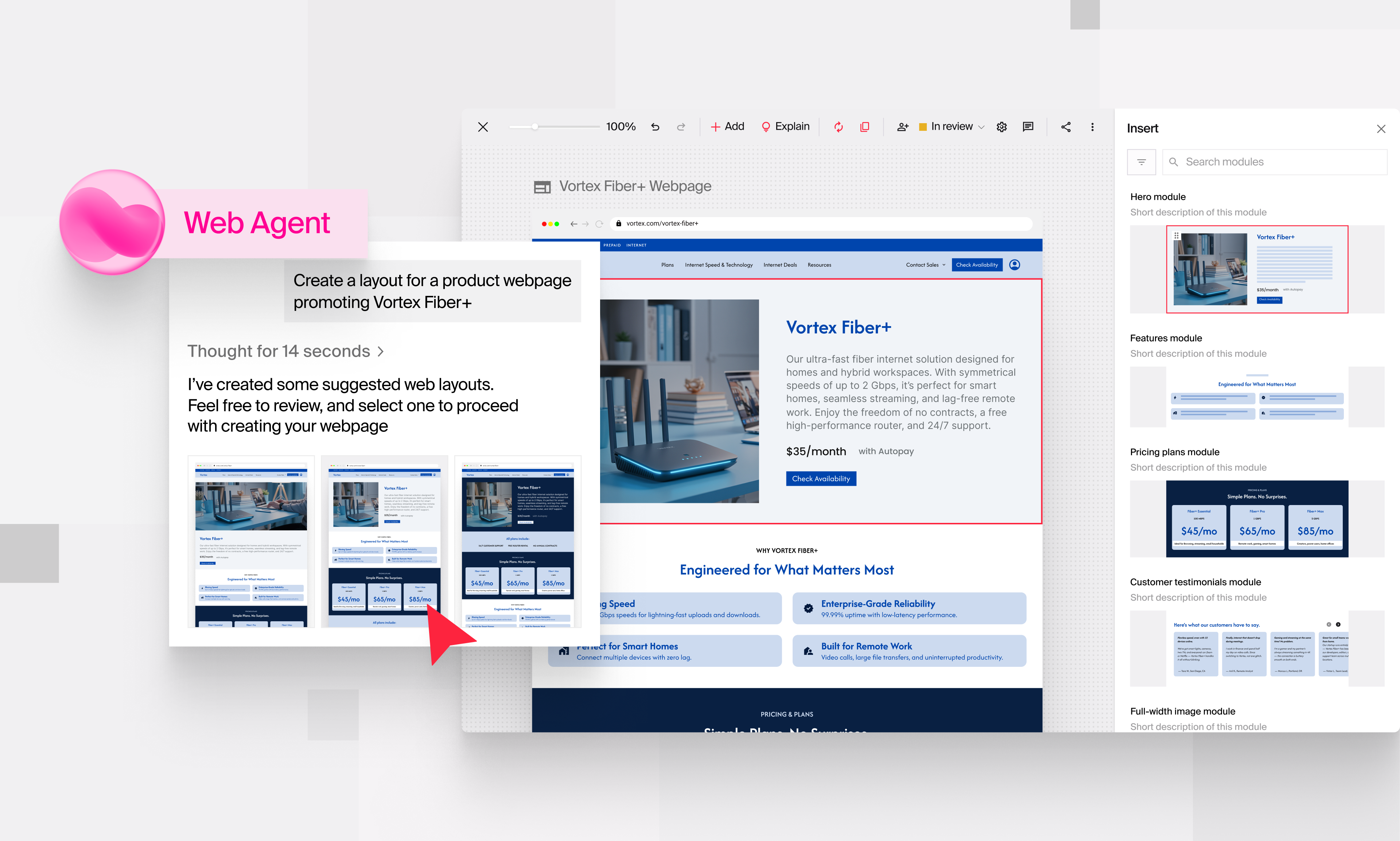
Web creation now includes automated layout assembly and editing capabilities.
Auto-assemble webpages with Magic Modules: Web Agent now automatically assembles layouts using tagged, reusable modules. Tag modules such as “hero banner” and “statistic highlight,” and Typeface handles the assembly—no manual layout work required.
Edit HTML directly in Typeface: Make quick tweaks to email and web layouts using the new in-app HTML code editor. Fix formatting issues, adjust spacing, or update copy without exporting files or switching tools.
These updates give you more control over your web content while reducing back-and-forth with developers.
Expand your content reach across channels
New channel support and design capabilities help you scale campaigns and maintain brand consistency.
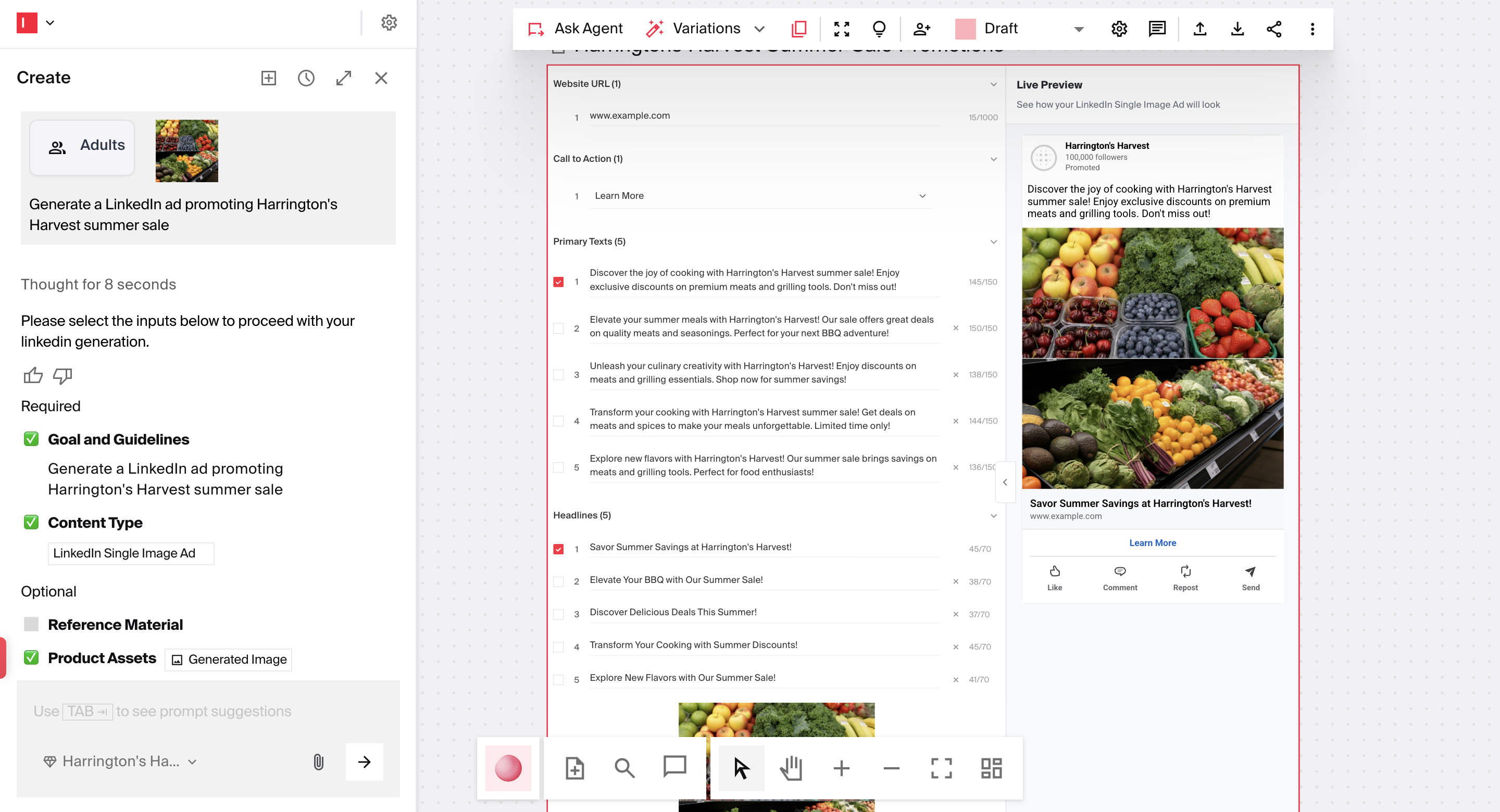
Generate LinkedIn single-image ads: Create paid LinkedIn ads in addition to organic LinkedIn posts. Scale your B2B advertising without design bottlenecks.
Brand logos on social posts and ads: Company logos now automatically appear on social posts and paid ad layouts, reinforcing brand presence across every touchpoint.
Multi-font support in banner designs: Import and resize ad layouts with multiple font styles in a single layer.
Typeface in the News
We released the latest Typeface Signal Report: The Big Game Edition, a data-driven look at why marketing real-time moments remains challenging for large brands—even as AI adoption accelerates. The findings show the biggest barriers around scale, systems, and approval models. The report outlines what helps teams move with confidence: connected systems, trusted workflows, and the ability to stay creative and on-brand when the stakes are high.
That wraps up this edition's product highlights. Stay tuned for what's next, and happy creating with Typeface!
Related articles
December 15, 2025
Welcome back to Feature Focus! As we wrap up the year, we’re introducing more flexibility and scale across our platform. This includes all-new Adaptive Templates, key enhancements to Agent Studio and
October 3, 2025
Typeface’s new context-rich chat, layout automation across channels, and latest models are accelerating automation in marketing and helping adopters create high-performing marketing content. Welcome
November 5, 2025
Connect Typeface to your daily tools, automate campaigns in Salesforce, and publish complete webpages in minutes. Welcome back to Feature Focus! Last month, we expanded how and where you can access T