
AI summary
Typeface's April update touches every part of the content workflow: how you find your audience, collaborate with design, govern your brand, and repurpose video.
Key updates include:
- •AEO Analyzer: A new 25-point analyzer scores your content against the signals AI search engines like ChatGPT, Perplexity, and Gemini actually use. It then surfaces targeted fixes so your team knows exactly what to change.
- •Figma two-way sync: Creative teams can now import layouts from Figma, generate content inside Typeface, and push it straight back. No rebuilding, no manual handoffs, one less step in the production cycle.
- •Faster brand setup: Batch-upload multiple brand documents at once and Typeface automatically maps them into Arc Graph. New brand contexts that used to take hours now take minutes
Welcome back to Feature Focus!
We're building on our evolution into a Marketing Orchestration Engine, giving teams more flexibility in how they create and distribute content. This month, that means tackling the friction that slows you down after a brief is approved. Whether you're a creative working between Figma and production, a marketer sitting on a library of underused video footage, or a brand manager trying to stand up guardrails faster, there's something here for you.
Let's get into it:
Get your content found where your audience actually searches
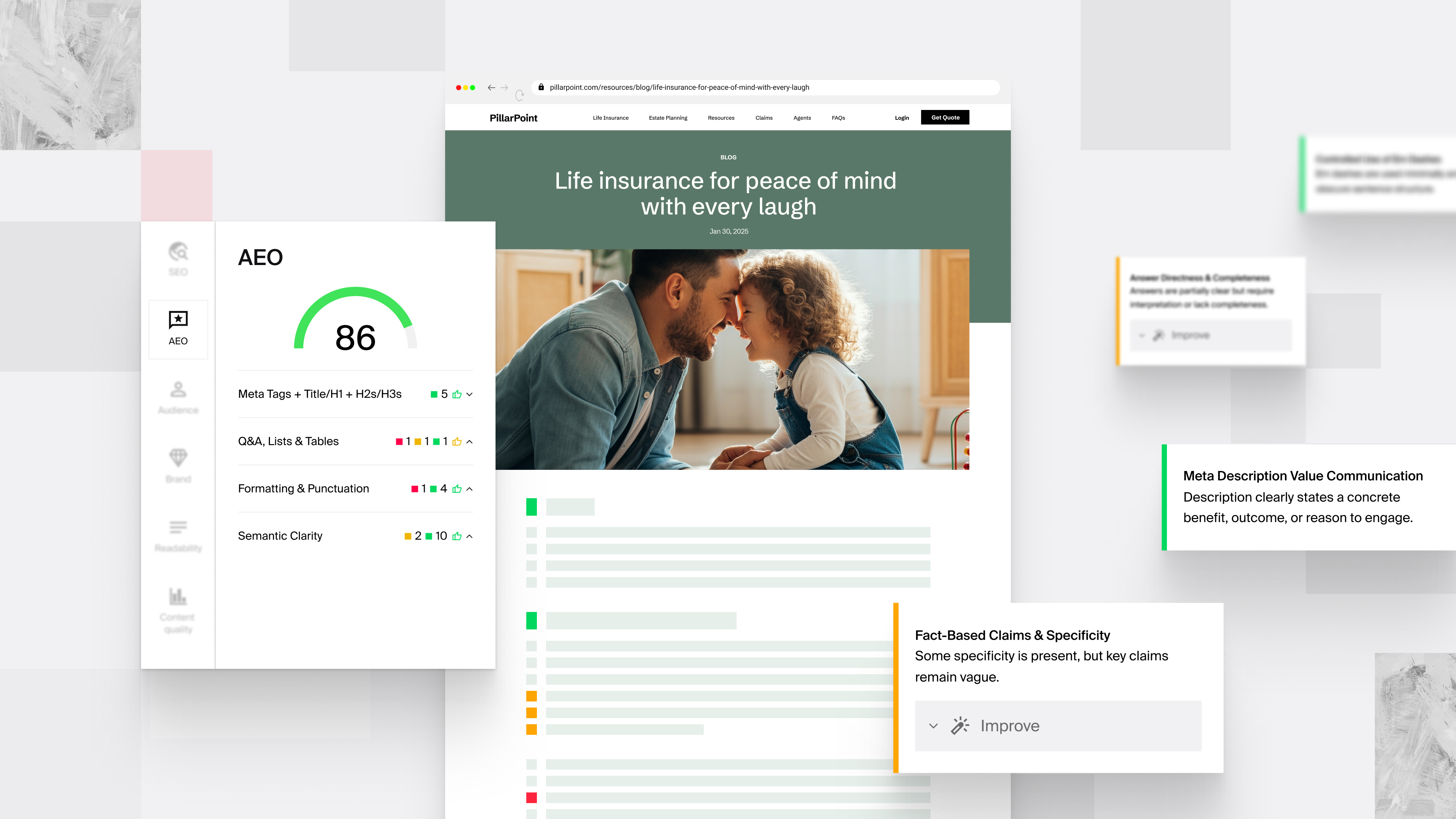
Your audience now starts their research in ChatGPT, Perplexity, or Gemini. Traditional SEO tools weren't built to evaluate the signals those engines use.
Typeface's AEO Analyzer scores your content against a 25-point rubric covering structure, formatting, and metadata. It also surfaces targeted fixes for each dimension, so your writers know exactly what to change, not just that something needs work. You can run it from the Explain Panel inside Typeface, or paste any external URL to audit content.
Learn more about the AEO Analyzer.
Go from approved design to live content without rebuilding anything
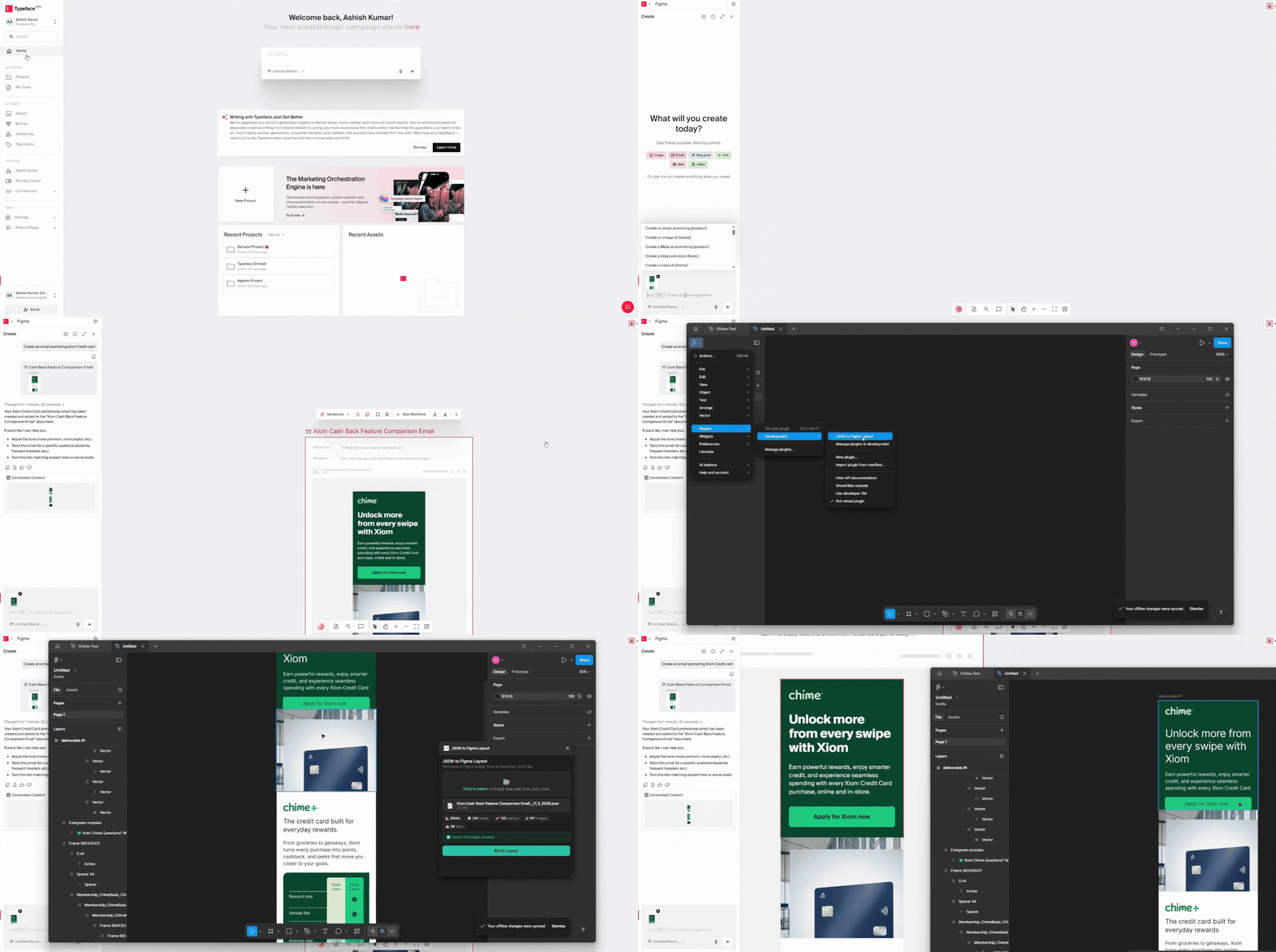
Creative teams designing in Figma can now move layouts in and out of Typeface without copying, rebuilding, or losing time to manual handoffs.
You've already been able to import email, web, and ad layouts from Figma into Typeface, turning approved designs into production-ready starting points. Now, with the new in-Figma export plugin, content you generate inside Typeface can be pushed back into your Figma file directly.
That closes the loop: bring in a layout, generate content inside Typeface, and send it back to Figma. For teams managing brand-approved templates, this removes an entire step from the production cycle.
Discover how Typeface powers creative teams.
Build your brand knowledge graph without the manual setup
Setting up brand guardrails used to mean uploading documents one at a time and mapping them manually. Now you can upload multiple brand documents, or an entire channel's guidelines, in a single batch.
Typeface automatically maps that content into the correct sections of Arc Graph, our brand intelligence layer, and gives you a comprehensive brand knowledge graph ready to power compliant content. From there, you can review a set of seed ad layouts, approve them, and let the system generate remaining variants automatically. Full, uncropped assets are supported throughout, so visual quality stays consistent across every size and format.
For teams standing up new brand contexts or onboarding a new channel, this cuts setup from hours to minutes.
Turn your existing video library into social-ready content
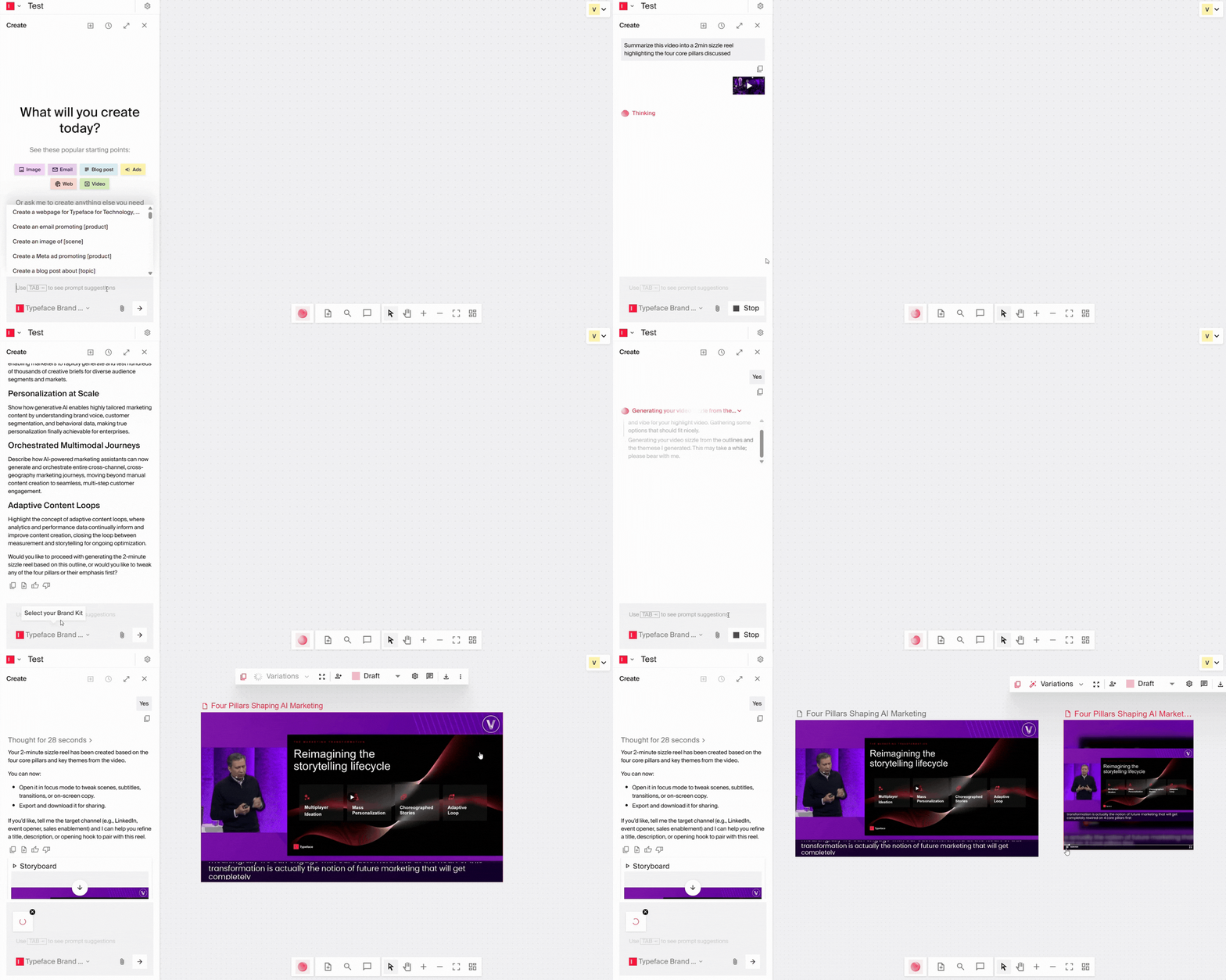
Your best moments are already recorded. Typeface now helps you find them and turn them into polished, social-ready sizzle reels without a video editor or editing software.
Upload any transcript-based video—webinars, interviews, keynotes, and town halls all work. Users can pull the most relevant quotes or moments and build a narrative outline directly from the transcript. They can further refine the outline, generate the video, then make visual or transcript-based edits to finalize it. The whole workflow lives in one place.
The output: short-form sizzle reels with custom transitions, auto-generated title cards, and scene-level exports sized for any social format. Previously underutilized footage becomes a steady source of story-driven content.
Check out the getting started guide.
Bonus enhancements
Choose your AI model: Your team can now select which AI model powers content generation directly in the chat interface. Switch models mid-workflow or set a team-wide default in Agent Settings, helpful when different tasks perform better with different models.
Push notifications: Set up push layouts in your Brand Kit and create push notifications directly in Typeface, no separate tools needed.
LinkedIn carousel ads: Create LinkedIn carousels alongside banners and other social posts, directly via chat.
Campaign landing pages: Publish any Typeface-generated webpage publicly, with analytics tracking coming in the next release. Request access to get started.
Typeface in the news
At Google Cloud NEXT 2026, Typeface announced a seamless integration with Google Cloud that brings brand-governed content generation into Google's marketing ecosystem. Marketers can now access Typeface's creative engine inside Gemini Enterprise, connecting audience data from BigQuery with on-brand campaign generation across Google Ads, social, and email. Typeface is now available on the Google Cloud Marketplace.
Read the full announcement.
That's a wrap for April. Stay tuned for what's next, and happy creating with Typeface.