

AI summary
Learn how AI captures voice profiles from your existing content and automatically applies them to blogs, LinkedIn posts, press releases, emails, ads, and other types of marketing material.
If you've ever rewritten the same announcement four times — once for LinkedIn, once for email, once for Instagram, once for your blog — you know how much time brand voice adaptation eats up.
Each platform has its own rhythm, and what sounds right for a press release fall flat in a post. For example:
LinkedIn typically requires professionalism and thought leadership, while Instagram thrives on casual, engaging content.
Your CEO and CMO may have different individual writing styles.
Adapting to each of these can create a significant workload for marketing teams.
Typeface’s AI helps reduce the hours marketers spend manually writing or rewriting content in channel-specific voices. Train the AI model on your brand voice and it will generate marketing material that sounds like you or a key representative from your brand, such as your CEO.
Note: Our webinar on voice training with Typeface explains how it works — you can access the recording or read its gist below.
What sets our approach apart is our commitment to voice accuracy and brand alignment. While other writing tools support quick training, Typeface prioritizes a strong depth of training to ensure your brand's voice remains authentic and consistent. With Typeface’s advanced web scraping capabilities, you simply provide a URL, and our AI automatically identifies relevant content from linked-out pages (e.g. pulling several blogs from a blog homepage) to train and generate content based on your existing brand voice.
Can AI maintain different tones for different social media platforms?
Generic AI models, while creating brand content or visuals, struggle to capture the company voice or preserve product details during the creation process. Typeface’s advanced AI accounts for these important details to help ensure consistent branding effortlessly.
When it comes to brand voice, Typeface goes further, scaling authentic voices across each channel.
Train a distinctive voice by channel, content type, or author by sharing URLs or documents
Capture specific nuances in tone, language, and formatting for each voice
Optimize for channel performance and preserve individual writing styles
Training a brand voice with Typeface
Training our AI model on your brand voice essentially means providing it relevant data — your marketing blogs, press releases, X posts, LinkedIn posts, and others — so it can learn and adapt your voice to each platform when it generates content for you.
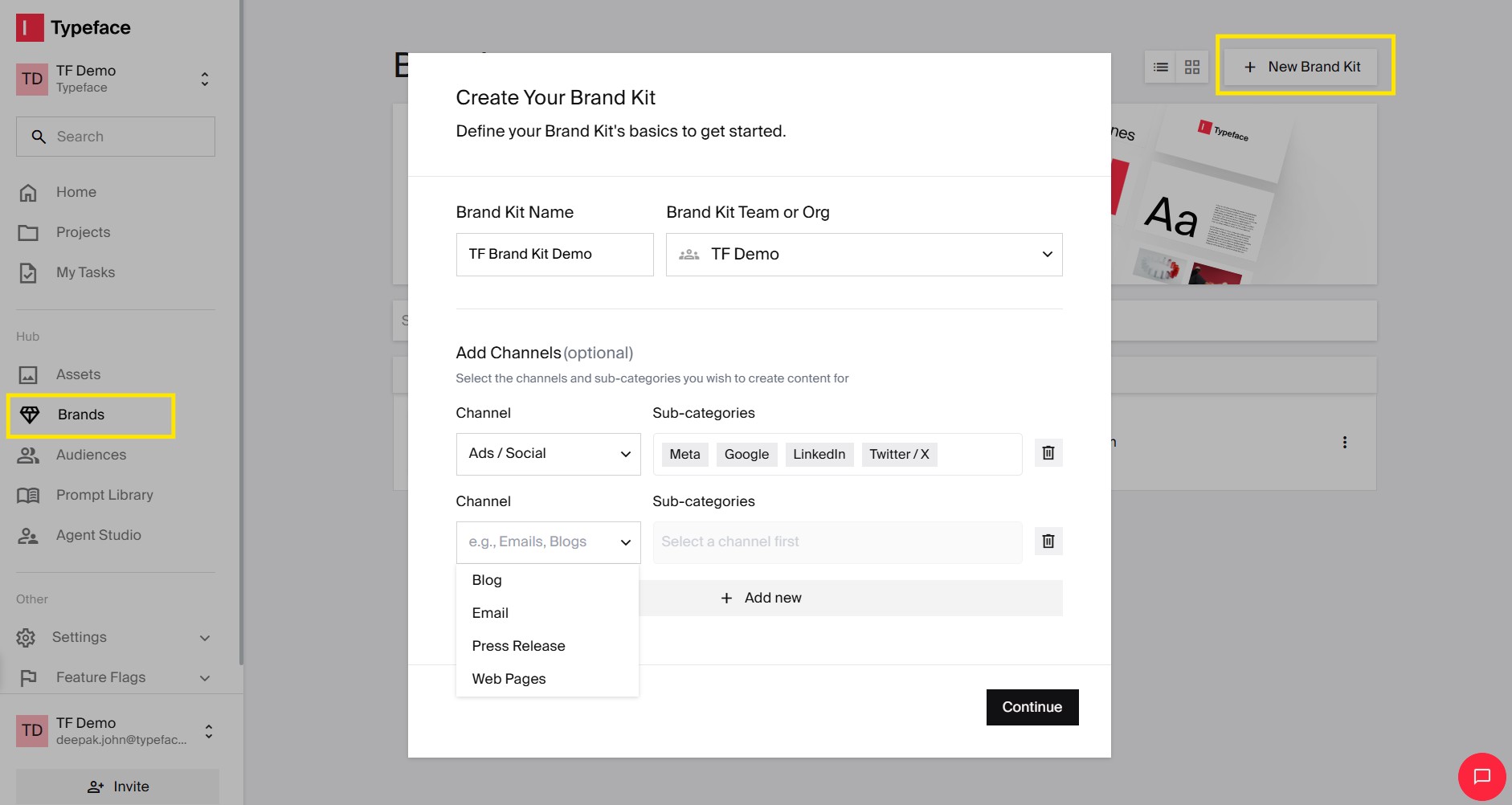
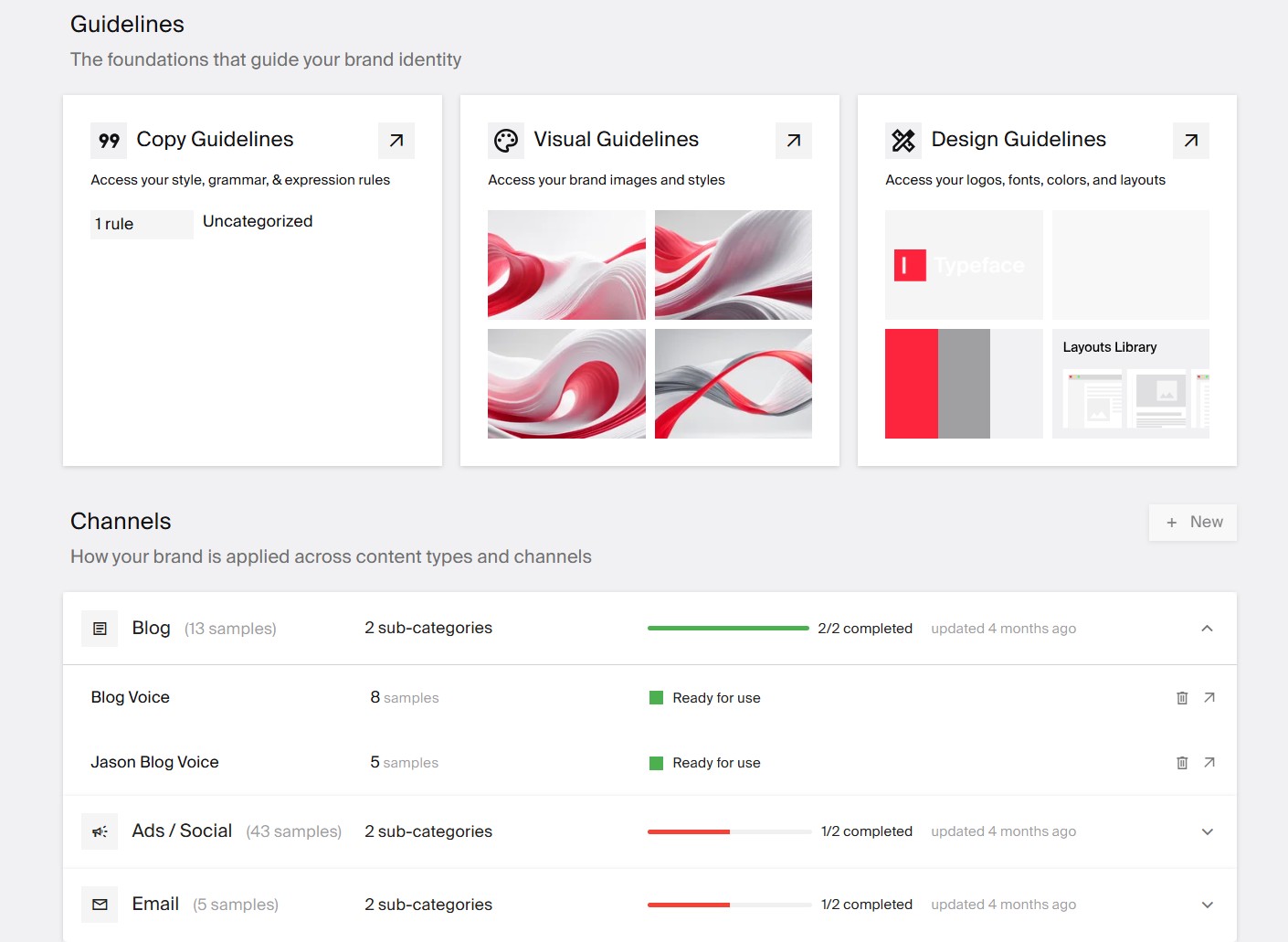
Make sure to share a minimum of 15,000 words for long-form content (e.g. blogs); any fewer than this number and Typeface will notify you and prompt you to feed more words. For short-form content (e.g. social posts and ads), including up to 15 examples is sufficient.
Training a persona-based voice in Typeface
To train an individual writer’s voice, feed the AI their work — their X threads, LinkedIn posts, or blogs, etc., just as you did for the brand voice above — and follow the same process.
Note: Voice training usually takes a few hours. When the model is full trained, you’ll receive an email notification. If you need to retrain the model, add more URLs to those assets or delete any existing ones.
Creating a blog in Typeface’s voice
One way to apply a trained voice is to generate a blog post in the voice you’ve trained Typeface on for this type of content.
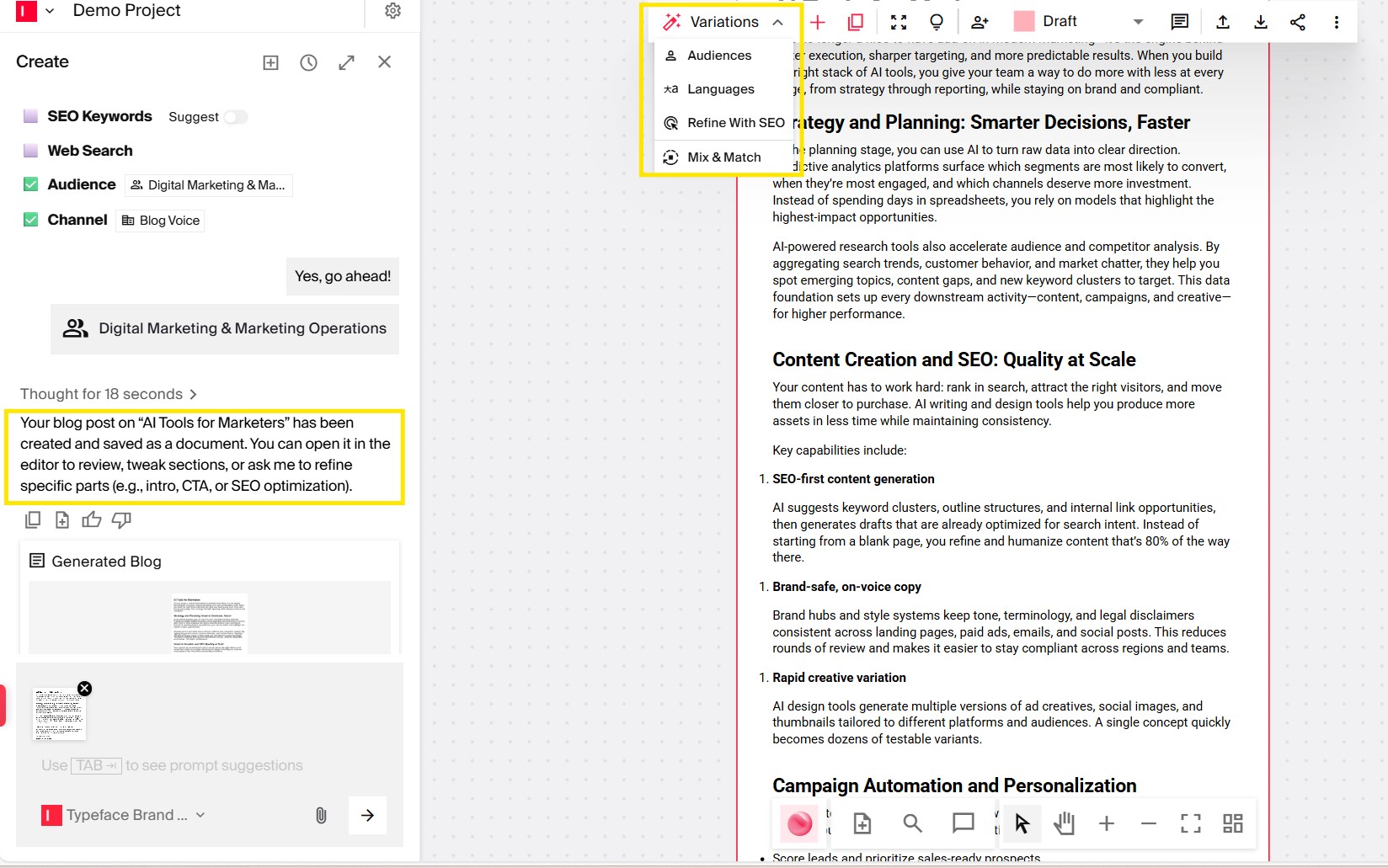
Add the topic of your post and SEO keywords, if you have any. Choose your target audience and Brand Kit. Under Voices, select ‘Blog Voice,’ which is the voice you trained Typeface on to create your blogs.
💡Pro tip: Apply the voice for templates of the same channel as the one you trained on. For example, use the LinkedIn voice for the LinkedIn post template only.
Share additional information for the AI to base the blog content on. You can add URLs or upload files with those details.
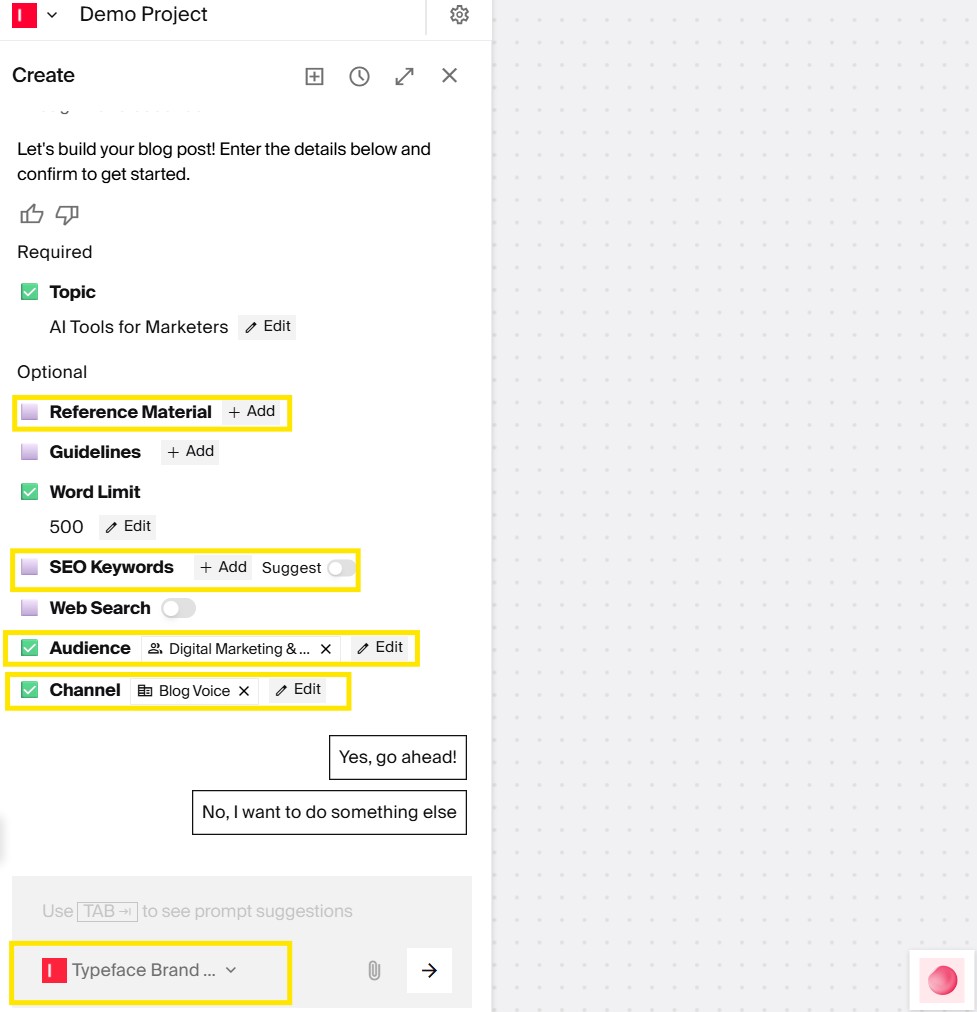
Ask Typeface to go ahead with blog generation and watch your blog take shape in your brand voice.
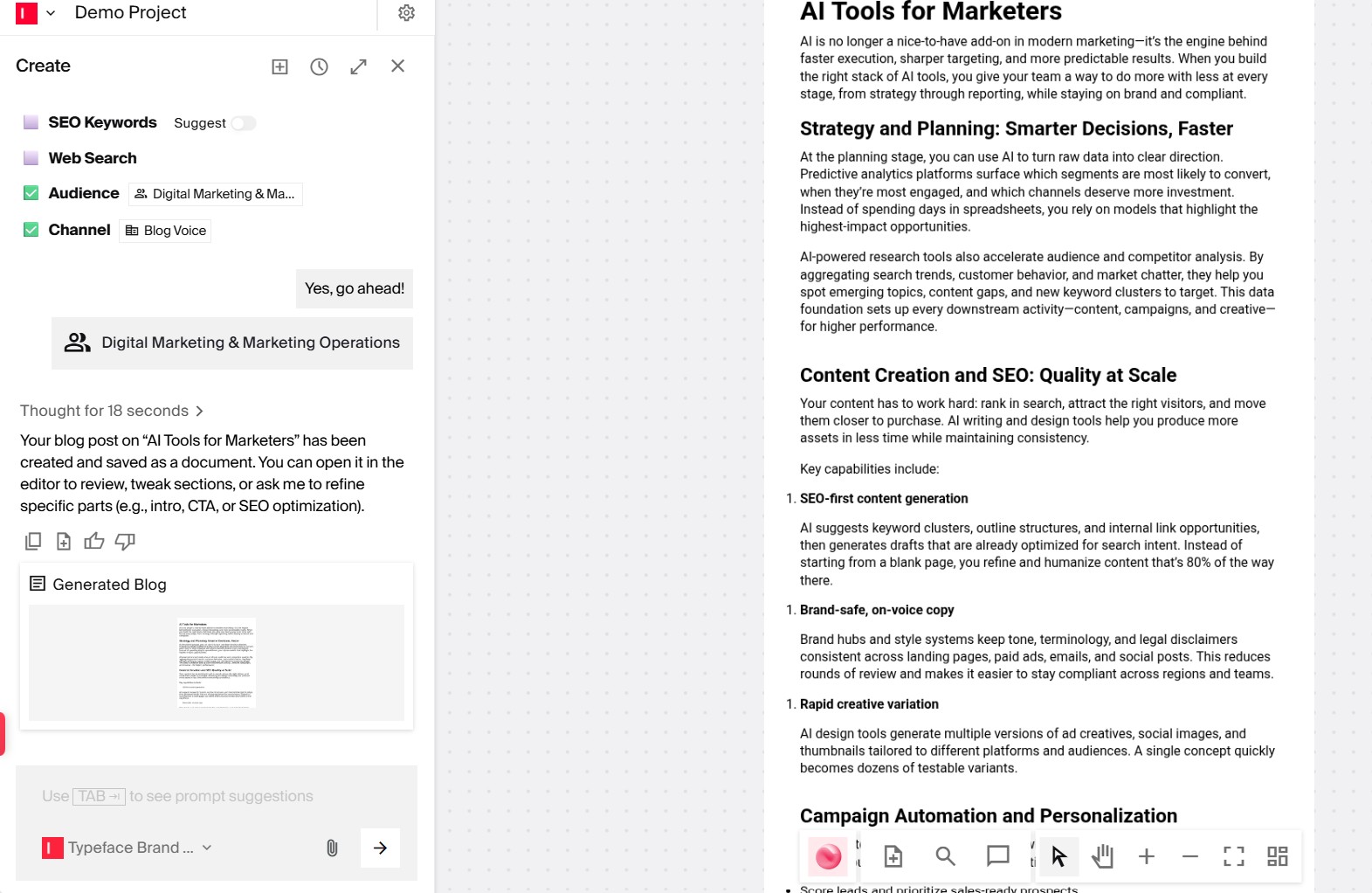
Now it’s time to review the post. You can tweak or add new sections if you want. Or, if you want variations — for instance, a different audience — you have the option to do that as well.
Why Typeface for content generation
Rather than relying on a single model or parameters built for individuals rather than organizations, Typeface allows you to use the best models and generate content that is on brand, at scale.
Contact our sales team or watch our Voices webinar to get more information about voice training and other advanced features of Typeface. Need help? Reach out to support@typeface.ai, anytime.
FAQs
Q. How long does it take to train a voice?
Training Typeface on long form content takes 2-3 hours, and a couple of minutes for short-form content. After training is complete, you’ll receive an email in your inbox informing you. The training runs in the background, so you can use the platform for your other tasks as you await the voice training notification.
Q. How much content is required to train a voice?
The recommended content quantity for long-form assets is 15,000 words. This is because not all of the content is usable for training. For example, repetitive language, reference links at the bottom of articles, or very short headers are removed from training. So, feeding more content satisfies the AI’s need for the right amount of training data. For short-form assets, the minimum recommended quantity is 15 examples of the relevant content for voice training.
Q. Can you apply multiple voices at the same time?
It’s only possible to apply one voice at a time to a specific piece of content you’re creating. An option is to recreate the content in the second voice. If you want to blend two voices, consider training a net new voice. A common use case is if you have a channel voice and a CEO voice, you can train a LinkedIn CEO voice.
Q. What are the best practices to ensure content quality?
The recommended best practices for voice training are:
Meet the recommended word count for long form and short form content.
Use a variety of examples to train the model. A richer set of examples enhances generalization and accuracy of brand tone.
Select the right voice for the content you’re creating. For example, a blog post you’ve trained the AI on can possibly be used for various other assets. But X threads in your CEO’s voice are suitable for LinkedIn but no other types of content.
Q. What's the difference between using ChatGPT and a dedicated AI brand voice tool, like Typeface?
ChatGPT and similar general-purpose AI tools can write in a broad range of styles, but they work from descriptions — you tell them to write "in a professional but approachable tone" and they do their best to interpret that. The output is only as specific as your prompt, and it varies from session to session because there's no persistent memory of your brand.
A dedicated AI brand voice tool trains directly on your actual content. Instead of describing your voice, you show it examples — your past blogs, LinkedIn posts, press releases — and it learns the specific patterns that make your writing yours: sentence length, word choices, how you open and close sections, the level of formality you use on each channel. The result is output that sounds like your team wrote it.
Q. Can multiple team members use the same trained voice at the same time?
Yes. Once a voice is trained, anyone on your team with access to the platform can apply it when generating content — there's no limit on simultaneous users. A trained voice lives in your Brand Kit, so it's available to everyone working in that workspace, whether that's one person or a whole marketing team.
Related articles

November 27, 2025
Maintaining a consistent flow of engaging blog content is an ongoing challenge for marketers. The traditional content creation workflow—from ideation through research, planning, content development, a

June 17, 2026
From our conversations with clients exploring AI for marketing, two requirements consistently emerge. First, brand assets are non-negotiable — product imagery, company logos, and color palettes must

February 27, 2026
Most marketing teams face a common challenge: create hundreds of on-brand visuals every month without hiring more designers or blowing the budget on photoshoots. This is not without reason, of course.